Website Audit Checklist: 21 Points in 10 Minutes
By Cameron Kirdzik — Founder @WebHunt.ai
· 10 min read
TL;DR
- Audit in 10 minutes: prioritize trust, contactability, mobile/speed, findability, and tracking.
- Pair every issue with a one-line impact, a screenshot target, and a realistic AI-tool fix time.
- Pitch a 24-hour live draft using Replit/Lovable/Framer AI etc. to make the decision feel low-risk.
- Use concise, screenshot-led slides + simple ROI math to move owners to yes.
- Systematize: process 50 leads/week and automate follow-ups to maximize close rate.
Why a 10-minute audit wins deals in the AI era
Owners buy outcomes fast: a punchy audit that ties fixes to calls booked and form submissions beats a 40-page technical PDF. We’re not writing a report; we’re lining up reasons an owner should say “yes” this week.
AI build economics changed the pitch. When you can credibly rebuild or refactor in hours using Replit, Lovable, Base44, v0, Bolt, Framer AI, Cursor, Windsurf, Codex Sites, Claude Design, or Claude Code, you can promise speed, low risk, and a try-before-you-commit preview. That changes how we order checks and how we talk about them.
Order your checks by persuasiveness, not technical severity: trust and contactability first (they feel like lost bookings), then mobile/speed (visible friction), then findability/measurement. Every issue you flag should include three things:
- One-line business impact (lost calls, form abandonment, ad waste)
- What to screenshot for the pitch
- A realistic AI-tool fix-time (e.g., “2–3 hours in Lovable to rebuild mobile layout”)
Use the audit as pitch ammunition. Pair findings with a same-week implementation plan and a 24-hour live draft offer.
Key takeaway: The goal isn’t to prove you’re thorough; it’s to make “approve the fix” the obvious, low-friction next step.
If you’d rather not hunt leads manually, WebHunt.ai surfaces local businesses with weak websites and scores buy-likelihood using signals like HTTPS, mobile-readiness, speed, and review momentum so your 10-minute audits land on the right prospects.
Your 10-minute setup: tabs, timers, and screenshot routine
Open these tabs before you start:
- Home, Contact, and one service page
- A Google search showing the business’s GBP (right-side panel)
- PageSpeed Insights (mobile)
- Schema validator
- Google search: site:domain.com
Timebox the pass:
- 4 minutes: trust/contactability
- 3 minutes: mobile/speed
- 2 minutes: findability/proof
- 1 minute: tracking/next steps
Screenshot discipline (with the URL bar visible):
- Above-the-fold hero
- Contact area (phone, form, hours)
- PageSpeed mobile summary
- GBP panel (reviews/hours)
- Any broken element (errors, layout jumps)
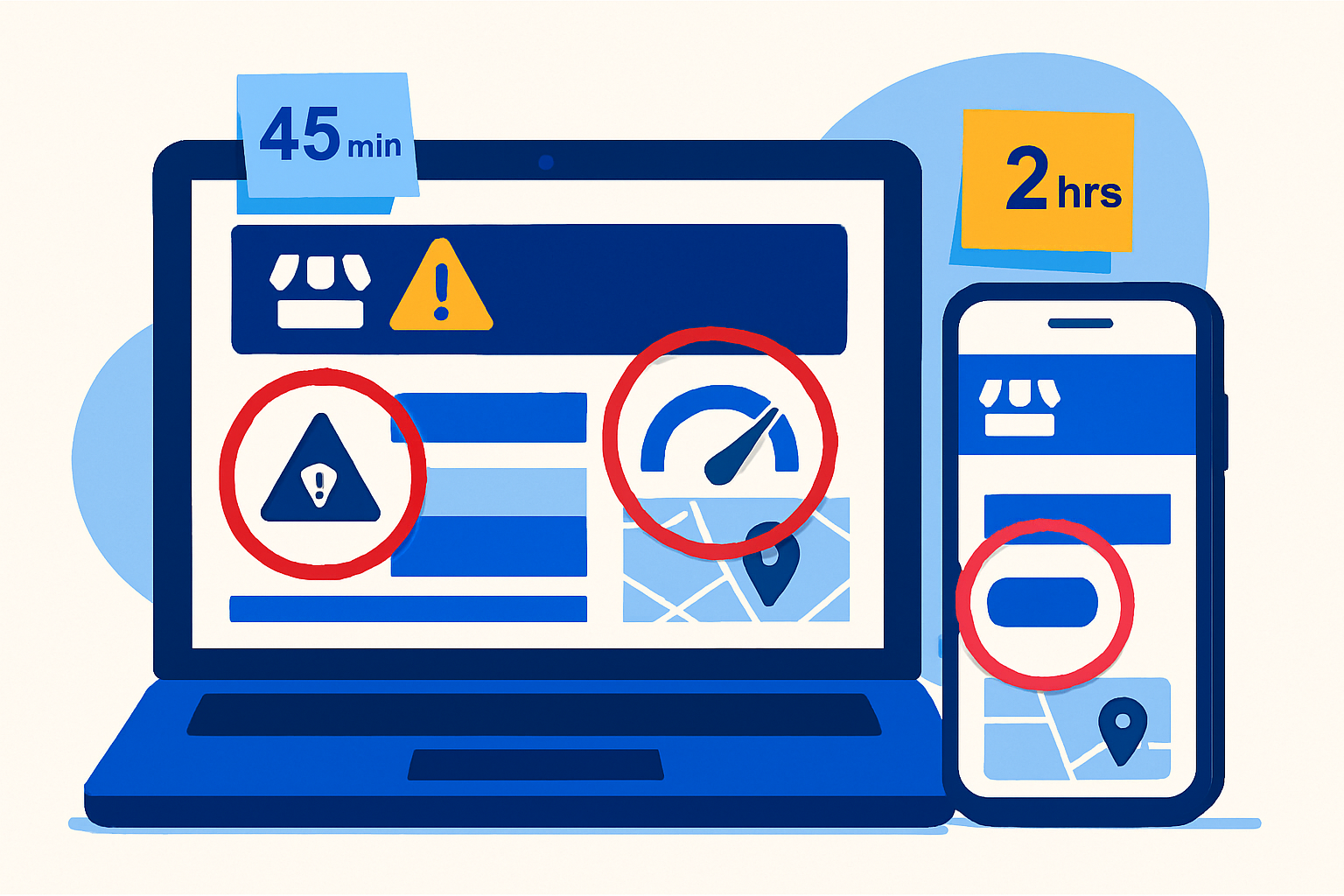
Prep a one-slide template where each screenshot gets a red circle and a fix-time badge (e.g., “Fix: 90 minutes”). Record a 3–4 minute Loom immediately after while context is fresh.
If you need a head start, WebHunt.ai provides AI opportunity briefs with desktop/mobile screenshots and an audit summary per lead—use them to accelerate your own notes and pitch angle.
Tier 1 — Trust and contactability: the owner-urgent blockers
- HTTPS missing or broken (http loads or “Not secure”)
- Impact: instant trust drop and form abandonment.
- Screenshot: address bar showing the security warning.
- AI fix-time: 30–60 minutes to configure SSL or migrate to a secure host; HTTPS has been a lightweight ranking signal since 2014 1.
- No click-to-call on mobile or phone buried
- Impact: lost calls from mobile visitors.
- Screenshot: mobile header showing plain-text number or number below the fold.
- AI fix-time: 15–30 minutes to convert to tel: links and surface in a sticky header.
- Contact form errors or no visible form
- Impact: zero inquiries for non-callers and after-hours.
- Screenshot: form error state or contact page missing a form.
- AI fix-time: 30–60 minutes to add a friction-light form with validation and spam protection.
- Missing or wrong operating hours/address
- Impact: walk-ins/calls at wrong times; avoidable negative experiences.
- Screenshot: footer/contact hours next to GBP panel showing different hours.
- AI fix-time: 15–30 minutes to sync site and GBP; owners with accurate hours tend to see fewer negative reviews tied to availability confusion 2.
- No primary CTA above the fold
- Impact: confusion and early drop-off.
- Screenshot: hero section without a “Call Now” or “Get a Quote” button.
- AI fix-time: 30–45 minutes to redesign the hero with a single primary CTA and urgency copy.
- Inconsistent NAP vs GBP
- Impact: trust erosion and missed map-pack relevance.
- Screenshot: site footer NAP side-by-side with GBP panel.
- AI fix-time: 30–60 minutes to standardize across site and top listings.
- No social proof (recent reviews/testimonials, trust badges)
- Impact: lower conversion, especially for first-time buyers.
- Screenshot: empty testimonials or stale reviews section.
- AI fix-time: 45–90 minutes to add a recent review widget, 2–3 cherry-picked testimonials, and trust logos; showing fresh social proof can materially lift conversions 3.
By the numbers: Most owner objections melt when you show one screenshot that screams “lost calls today,” then give a 60–90 minute fix window.
Tier 2 — Mobile experience and speed: friction that kills bookings
- No mobile viewport tag or desktop layout squished on phone
- Impact: unreadable text, unusable CTAs.
- Screenshot: mobile above-the-fold with tiny text and horizontal scroll.
- AI fix-time: 2–3 hours to rebuild responsive layout in Replit/Lovable/Framer AI.
- Tap targets too small or nav buried
- Impact: mis-taps, exits, and fewer conversions.
- Screenshot: mobile menu with overlapping or tiny links.
- AI fix-time: 45–90 minutes to implement an accessible menu and larger buttons.
- PageSpeed Insights mobile score in red, LCP > 4s
- Impact: lower conversions and paid-traffic waste.
- Screenshot: PSI mobile summary highlighting LCP.
- AI fix-time: 2–4 hours to compress images, inline critical CSS, and defer non-critical JS; a 1-second delay is often associated with ~7% conversion drop in industry discussions 4.
- Cumulative Layout Shift (CLS) visible
- Impact: user frustration, mis-clicks on moving buttons.
- Screenshot: capture the shift-in-action or PSI CLS metric.
- AI fix-time: 60–90 minutes to set image dimensions, pre-allocate embed space, and stabilize fonts.
- Heavy hero video/slider autoplaying
- Impact: slow first paint and janky loads.
- Screenshot: autoplaying media or waterfall showing large initial assets.
- AI fix-time: 45–90 minutes to swap for a compressed poster, lazy-load, or a single optimized image.
Tier 3 — Findability and proof: owner-graspable SEO basics
- Title tag doesn’t say service + city
- Impact: low relevance in SERPs and weak message match.
- Screenshot: browser tab title or page source.
- AI fix-time: 20–30 minutes to set concise, keyword+geo titles across top pages.
- Missing H1 with a plain-English offer (what/where/why)
- Impact: visitors (and engines) miss the core value prop.
- Screenshot: top of page showing no H1 or generic “Welcome.”
- AI fix-time: 30–45 minutes to add a clear H1 and supporting subhead.
- Outdated content (blog/news > 12 months old)
- Impact: perceived neglect and lower trust.
- Screenshot: blog index with old dates.
- AI fix-time: 60–120 minutes to publish a fresh FAQ/service update via AI draft + owner approval.
- No LocalBusiness schema or NAP markup
- Impact: weaker rich results and missed eligibility.
- Screenshot: schema validator showing missing/invalid JSON-LD.
- AI fix-time: 45–90 minutes to add JSON-LD LocalBusiness and FAQs; structured data supports rich result eligibility and can lift CTR when eligible 5.
- GBP not linked from header/footer or weak GBP recency
- Impact: fewer map calls and trust signals.
- Screenshot: site footer (no GBP link) plus GBP showing few recent reviews.
- AI fix-time: 30–60 minutes to add a prominent GBP link and set a weekly post + review-request rhythm.
Tier 4 — Tracking and conversion math: prove ROI fast
- No GA4/Tag Manager detected
- Impact: blind spend; can’t prove wins or cut waste.
- Screenshot: Tag Assistant showing no tags.
- AI fix-time: 30–60 minutes to add GA4 via GTM and publish basic events.
- No conversion tracking for calls/forms
- Impact: can’t attribute booked jobs to web changes.
- Screenshot: Network/Console or Tag Assistant showing no tel: click or form submit events.
- AI fix-time: 45–90 minutes to configure call click and form submit events.
- No Facebook Pixel/Microsoft UET for retargeting
- Impact: higher CPA; lost warm audiences.
- Screenshot: Meta Pixel Helper/UET tag tester empty.
- AI fix-time: 30–60 minutes to deploy via GTM.
- Primary CTAs lack UTM parameters on ad landers
- Impact: murky channel attribution and bad budget calls.
- Screenshot: CTA URLs missing utm_source/utm_medium/utm_campaign.
- AI fix-time: 15–30 minutes to add standard UTMs and update templates.
Turn audit notes into a 5-slide pitch (with a 24-hour draft offer)
- Slide 1: Before/after promise — three bullets tying fixes to bookings (e.g., “HTTPS + click-to-call + mobile viewport = more calls this week”).
- Slide 2: Screenshots with red circles — 3–5 images max, each labeled with business impact.
- Slide 3: Fix plan with AI-tool time estimates — list tasks with “owner time asked” (e.g., approve 3 testimonials) and “your build time” (e.g., 2.5 hours in Lovable).
- Slide 4: Simple ROI math — two extra bookings/month x average ticket = payback; show conservative and likely scenarios.
- Slide 5: Fast-start offer — “I’ll ship a live draft in 24 hours using your real details. If you don’t love it, no obligation.” Add your calendar link and 3 time slots in the next 48 hours.
When you want to wow quickly, WebHunt.ai can generate a one-click website prompt pre-filled with the business’s real details and photos for Replit, Lovable, Base44, v0, Bolt, Framer AI, Cursor, Windsurf, Codex Sites, Claude Design, or Claude Code—paste it and produce a live draft fast.
Repeatable workflow: from audit to booked meeting at volume
- Pre-qualify niches with high LTV and steady offline demand (plumbers, roofers, HVAC, pest control) where one extra booking justifies the project.
- Templatize your email/DM: include two screenshots, a one-line impact (“missed calls on mobile”), and a fix-time (“I can fix this in 2–3 hours today”).
- Offer two entry paths: a micro-fix (click-to-call + HTTPS) today, or a 24-hour AI rebuild preview with real content.
- Track outcomes: audits sent, replies, booked calls, close rate, hours per win. With AI-era pricing and build speed, aim to process ~50 leads/week and convert ~5% to meetings.
- Automate follow-ups at 24h/72h with a fresh screenshot (e.g., a competitor’s GBP vs theirs) and a short Loom recap.
To scale sourcing and outreach:
- Use WebHunt.ai to filter by trade and city, sort by buy-likelihood (HTTPS/mobile/page-speed/freshness signals), and queue the businesses that match your offer.
- Pull the owner’s direct details via WebHunt.ai owner contact enrichment so your email/call hits the decision-maker first time.
- If you prefer not to dial, launch the WebHunt.ai AI Voice Agent SDR to call leads, pitch your 24-hour draft, and book qualified meetings onto your calendar with compliance guardrails. Or spin up a human campaign via its cold-calling marketplace for live appointment setting.
- Manage status: save leads and track them across stages in WebHunt.ai, then export or automate with its API/Zapier when you grow.
What to actually say (scripts you can steal)
- Subject (email/DM): Quick win: 2–3 hrs to fix missed mobile calls at {Biz Name}
- Opener: Noticed two things costing calls: no click-to-call on mobile and a red mobile speed score. I circled both in the screenshots below.
- Offer: I can fix these in 2–3 hours today and send a 24-hour live draft with your real content. No obligation if you don’t love it.
- Close: Two slots today at 2:30p or 5:00p. Which works?
For voicemail:
- “This is {Your Name}. I just audited your site; mobile visitors can’t tap-to-call and speed is red, which is costing you calls. I can fix both in under 3 hours and send a live preview by tomorrow. Call/text me at {Number}—I’ll hold 2:30p or 5:00p today.”
Packaging tips that lift close rates
- Limit findings to 3–5 high-impact screenshots in the first contact.
- Put fix times next to each screenshot to lower perceived effort.
- Use conservative ROI math (1–2 extra jobs per month) and the owner’s average ticket.
- Always attach the 24-hour draft offer—speed is your differentiator now.
If you want to begin with the highest-probability wins, start with a short list from WebHunt.ai filtered to weak HTTPS, poor mobile-readiness, and slow speed—those three alone generate clear, visual pitch ammo.
Implementation notes (so you can actually deliver in hours)
- For small sites, rebuilding in Framer AI/Lovable is often faster than patching legacy themes; port over copy, NAP, and photos, then redirect old URLs.
- Use GTM templates for GA4 events (tel: click, form submit) and publish once per domain.
- Pre-make components: sticky header with tel:, hero with single CTA, testimonial strip, LocalBusiness JSON-LD snippet.
- PSI red? Start with image compression (80% of the win), font preloads, and defer carousels/embeds below the fold.
- Always align NAP and hours with GBP during the same session.
That’s your reliable, 10-minute audit-to-pitch system. It respects the AI-era truth: fulfillment is cheap and fast; prospecting and clear pitching are the constraint. Run it daily.
Frequently asked questions
Does this 10-minute audit replace a full technical SEO or accessibility audit?
No. This checklist prioritizes owner-persuasive fixes that move revenue quickly, not exhaustive technical depth. Use it to win the engagement with fast ROI, then schedule deeper audits for information architecture, core web vitals fine-tuning, and accessibility conformance.
What tools should I keep open to run the audit this fast without missing big issues?
Open the site’s home/contact/service page, Google with the GBP panel, PageSpeed Insights (mobile), a schema validator, and a Google site: search. A screen recorder for a 3–4 minute Loom and a screenshot tool round it out.
How do I price quick fixes versus offering a 24-hour AI-assisted rebuild preview?
Offer a micro-fix bundle (e.g., HTTPS + click-to-call + GA4 events) with a same-day turnaround, then credit part of that fee toward a broader rebuild if they continue. The 24-hour draft preview lowers risk and accelerates yes—your margin comes from AI-compressed build time.
What if the site is on a rigid builder — do I still promise same-day changes?
Yes, but with two tracks: quick wins inside the current builder (tel: links, header CTA, GA4 tags) and a parallel AI rebuild preview in Framer AI/Lovable. If the preview outperforms, migration is a clear next step and can often be completed within a day or two.
How do I avoid overwhelming the owner with too many findings at once?
Lead with 3–5 screenshots tied to immediate revenue impact and show fix times. Park secondary issues in a backlog. The first contact should feel like, “Two hours from now, you’ll be taking more calls,” not a months-long project.
Can I adapt the checklist for specific trades like HVAC or legal without losing speed?
Yes. Swap the CTA language (e.g., “Request Service” vs. “Book Consultation”), pick proof elements that fit the niche (before/after photos for trades, case results for legal), and adjust ROI math to that trade’s average ticket. The 21 checks stay the same.
Sources
About the author
Cameron Kirdzik — Founder @WebHunt.ai
Cameron is the founder of WebHunt.ai, where he helps web designers, agencies, and freelancers find local businesses that need a website. He writes practical, field-tested guides on prospecting and closing local clients.