Web Design Proposal Template: The One-Page Close
By Cameron Kirdzik — Founder @WebHunt.ai
· 9 min read
TL;DR
- Local owners skim; a one-page proposal beats decks by making a one-glance decision possible.
- Three-option pricing (anchor/target/budget) lifts average deal size via anchoring and self-selection.
- Promise speed credibly: hours-not-weeks, with a timeline and one outcome-focused proof line.
- Attach a live AI draft (Replit/Lovable/v0) for high-intent leads to reduce perceived risk.
- Use a real deadline and a single next step to force a simple yes/no.
Why a one-page proposal wins local deals (and why decks lose)
Local owners skim, not study. Proposals are often viewed for only a few minutes. Design for a one-glance decision.
AI changed the pitch. When we can deliver a working draft in 24–72 hours using Replit, Lovable, or v0 (with polish in Cursor/Windsurf), the value is speed, clarity, and a low-risk preview. A one-pager amplifies that story; a 12-pager undercuts it.
Production is now cheap and fast. The bottleneck moved from fulfillment to prospecting and closing. The proposal’s job is not to teach web design. It’s to make “yes today” easy—show a blunt before/after, three anchored options, one timeline, a clear guarantee template, a real deadline, and one next step.
If you also need a steady stream of the right owners to send that one-pager to, WebHunt.ai helps at the prospecting layer—scoring local businesses by website-quality signals and enriching owner contacts so your pipeline stays full while fulfillment stays near-zero effort.
Key takeaway: Your proposal is a decision tool, not a brochure. One screen, three prices, one next step.
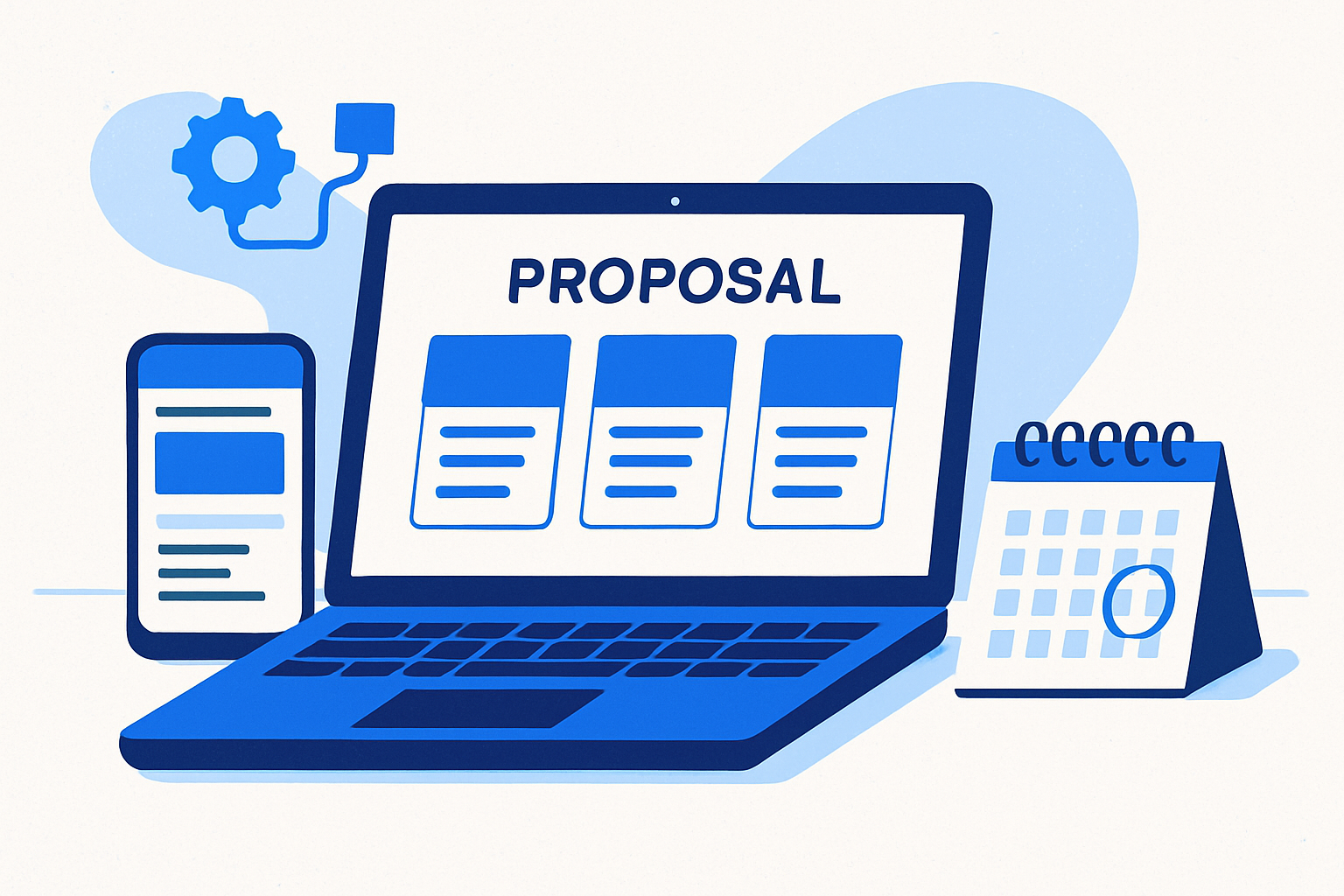
The one-page web design proposal template (structure at a glance)
- Header block: business name, owner name, date, acceptance deadline, your contact, one-line value promise.
- Section 1 — Before/After on one screen: a mini audit (what’s broken now) versus after-state (ROI outcomes). Two bullets each + a small visual if you can.
- Section 2 — Three-option pricing (Anchor/Target/Budget): clear scope bullets, monthly add-ons separated, and a bold middle option highlight.
- Section 3 — Timeline & proof: start date, milestones (draft, revisions, go-live), and one short testimonial focused on bookings or calls.
- Section 4 — Guarantee, deadline, and next step: risk reversal, an explicit booking link, and payment terms.
- Optional — Draft attached: link to a live AI-generated spec site preview with instructions on what to review.
Section 1: Before/After — what changes for the owner (with copy you can paste)
Keep it business-outcome first, technical second. Use punchy contrasts.
Paste-ready examples:
- Before: “Phone number is tiny above the fold; no tap-to-call. Mobile load 5.8s; last update 2021.” After: “Header tap-to-call, ~1–2s mobile load, service pages with FAQs that rank for ‘emergency + service.’”
- Before: “Only a few new reviews this year; no review link anywhere.” After: “Review request flow on the thank-you page and follow-up SMS; steady new reviews monthly.”
Add a small image pair if possible: left = current header screenshot; right = a simple wireframe or draft hero.
AI-era shortcut: generate a mini-audit in 60 seconds and keep it to two or three bullets. Example line you can reuse: “Your site is missing HTTPS and isn’t mobile-friendly; both can cost calls.” Avoid 20-point checklists.
If you want this section pre-filled with specifics (screenshots of their site on desktop and mobile + what’s broken), WebHunt.ai includes AI-generated opportunity briefs that summarize issues and suggest concrete pitch angles. Paste the top two bullets, not the whole report.
Section 2: Three-option pricing — anchor high, spotlight the middle (copy + components)
Three-option (“good-better-best”) pricing typically lifts average deal size via anchoring and self-selection. The high tier frames value; the middle becomes the default. Measure your own lift.
Name outcomes, not features:
- Starter (Get Found)
- Growth (Get Booked)
- Dominate (Own the Zip)
Example anchors (adjust to market):
- Dominate: $2,400 setup + $349/mo
- Growth: $1,200 setup + $199/mo
- Starter: $600 setup + $99/mo
These are viable in the AI era because drafts and launches happen in hours, not weeks.
Scope bullets you can paste:
- Starter — 3-page site (Home/Services/Contact), mobile-first, click-to-call, basic SEO, 1 round of edits.
- Growth — 5–7 pages incl. FAQs, schema, review widget, lead form to SMS/email, booking link setup, 2 rounds.
- Dominate — 8–12 pages incl. city pages, conversion copy, speed optimizations, review-generation flow, call tracking, 3 rounds.
Add-ons (separate from core tiers): hosting/maintenance, review automation, call tracking, basic ads setup, content pack (2 posts/mo). Keeping add-ons outside the base scope prevents haggling on the core.
Middle option spotlight copy:
“Most of our local winners pick Growth: it gets you the bookings lift without the Dominate price. We apply the same speed and SEO foundations across all options.”
Pricing insight: Anchoring makes the middle feel “just right.”
Section 3: Timeline and proof — hours not weeks (make speed credible)
Paste-ready timeline:
- Day 0–1: Draft live preview
- Day 2: Your feedback
- Day 3–4: Revisions
- Day 5: Go-live
Make the speed believable by naming tools: “We build your draft with Replit, Lovable, or v0 and finalize in Cursor/Windsurf for polish; hosting and DNS same day.” Because builds are hours not weeks with Replit/Lovable/v0, your pitch can credibly promise “preview this week” vs. “project next month.”
Set expectations on content: “We’ll pull content from your current site and Google Business Profile; you can swap anything in feedback round 1.” Optional same-day promise: “If we have your logo, address, and services list by noon, you’ll see a live draft by EOD.”
Proof (one outcome-focused testimonial):
“Client quote here (focus on calls/bookings, not compliments).”
Section 4: Guarantee, deadline, and next step — force a simple decision
Risk reversal (template suggestion):
- “If you don’t say ‘this is clearly better’ after seeing the first draft, you owe $0.”
Adjust this guarantee to your risk tolerance and local laws. This is example copy, not legal advice.
Deadlines create urgency when they’re real and tied to calendar capacity. Keep it specific:
- “This proposal and pricing hold until Friday at 5pm. After that, our calendar and pricing may change.”
Next step (paste-ready):
- “Pick a plan, book your 15-minute kickoff, and pay the setup to lock the slot.” Include one large button/link.
Payment terms:
- “Setup is due at acceptance; the monthly starts after go-live. Cancel anytime before go-live if we miss the first-draft date.”
Legal: 2–3 bullets only—scope, revisions, content ownership, cancellation. Link to your master terms in the footer rather than bloating the page.
Optional: Attach a live AI-generated draft preview — when and how to use the ‘draft attached’ close
Why it works: an interactive preview reduces perceived risk and gives buyers hands-on proof. In our world, a working spec site is the ultimate interactive demo.
When to include:
- High-intent signals: recent reviews mentioning “can’t find phone number,” recent ad spend on a weak site, fast owner reply.
- Small-ticket service verticals (plumbing, roofing, pest control, locksmiths) where one extra booking confirms ROI.
Workflow:
- Generate a first pass with Replit, Lovable, or v0.
- Swap in real NAP, services, and photos; use Cursor/Windsurf for cleanup.
- Host on a temporary subdomain; gate sensitive pages with a simple password if needed.
Paste-ready framing copy:
- “Draft attached: This is a working preview using your real details. Skim on phone. Tell us what to tweak—colors, photos, headlines—before anything is final.”
Scope protection:
- Watermark/footer: “Draft preview — not final.” Add “2–3 rounds of edits included per selected plan.”
- Gating note: “Preview auto-expires in 10 days; final assets delivered after setup payment.”
If you want to spin up a credible draft even faster, WebHunt.ai can generate a ready-to-paste website-builder prompt (for Replit, Lovable, Base44, v0, Bolt, Framer AI, Cursor, Windsurf, Codex Sites, Claude Design, or Claude Code) pre-filled with the business’s real details and photos. Paste it into your builder, tweak headlines, and ship a draft link in minutes.
Putting it together: example one-page proposal (fill-in copy)
Export as a one-page PDF and a trackable web view (your “web design proposal template PDF” should mirror this exactly).
Header:
- For: {Owner Name}, {Business} | From: {Your Name} | Date: {MM/DD} | Expires: {Friday, 5:00pm}
- Promise: “More booked jobs from a faster, clearer site.”
Before/After (two bullets each) + small image pair:
- Before: “Phone number not tappable; loads in 5.8s; last update 2021.”
- After: “Tap-to-call header; ~1–2s mobile load; ‘Emergency {Service}’ page with FAQs to rank locally.”
Pricing (three columns, emphasize Growth):
- Starter (Get Found) — $600 setup + $99/mo
- 3 pages, mobile-first, click-to-call, basic SEO, 1 edit round
- Growth (Get Booked) — $1,200 setup + $199/mo
- 5–7 pages incl. FAQs, schema, review widget, lead form to SMS/email, booking link, 2 rounds
- Dominate (Own the Zip) — $2,400 setup + $349/mo
- 8–12 pages incl. city pages, conversion copy, speed optimizations, review-generation flow, call tracking, 3 rounds
Add-ons (monthly/one-time beneath the table): hosting & maintenance, review automation, call tracking, basic ads setup, content pack (2 posts/mo).
Timeline & proof:
- Day 0–1: Draft live preview | Day 2: Your feedback | Day 3–4: Revisions | Day 5: Go-live
- “Client quote here (focus on calls/bookings, not compliments).”
Guarantee & next step:
- “If you don’t say ‘this is clearly better’ after the first draft, you owe $0.”
- Button: “Pick a plan & book kickoff” | Backup: (555) 123-4567
- Payment terms: “Setup due at acceptance; monthly starts after go-live. Cancel anytime before go-live if we miss the first-draft date.”
Optional “Draft attached” line:
- “Preview your site: {draft-url} (best on mobile). Preview auto-expires in 10 days.”
Acceptance block (copy/paste):
- “Accept: [Select Starter | Growth | Dominate] • Sign: {e-sign field} • Pay: {link} • Kickoff: {scheduler link}.”
Delivery, follow-up, and tracking — from send to signature in 48 hours
Format: export a clean one-page PDF and a web-view version (Notion, DocSend, or your site) so you can track opens.
Follow-up sequence (paste-ready):
- T+4h SMS: “Sent a 1-pager + your live preview—any first impressions?”
- T+24h Email: “Quick Loom walking the proposal (3 min).”
- T+36–48h Call: “Can we lock your kickoff for this week?”
Ethical deadline extensions: offer a one-time 48-hour extension if they request it within the window. Keep pricing, but drop a small bonus (e.g., first month of call tracking) to preserve integrity.
Close the loop fast: enable click-to-book and instant payment inside the doc. Trigger an auto-receipt and kickoff checklist upon acceptance.
To keep your funnel tight, track send-to-open, open-to-reply, and reply-to-close. Many AI-native builders keep average time-to-close under 48 hours by leading with a draft and a deadline; measure weekly and iterate your copy.
Operationalize it:
- Deal pipeline & automation: WebHunt.ai includes a lightweight deal pipeline to save leads, track stages, export data, and a public API/Zapier for automation.
- Compliant follow-up: Prefer not to chase replies yourself? The WebHunt.ai AI Voice Agent SDR can place compliant follow-up calls, qualify, and book meetings straight onto your calendar.
Where to source leads that match this template:
- Use filters to find “website-weak” businesses (missing HTTPS, slow, not mobile-ready) in your service area, then enrich the owner’s contact so your one-pager lands with the decision-maker. WebHunt.ai does both, and its AI opportunity briefs include screenshots you can paste into the Before/After block.
- If your calendar’s full and you want meetings without the manual dialing, you can spin up a campaign via the WebHunt.ai human cold-calling marketplace; callers book straight onto your calendar with qualified owners.
Key takeaway: Your proposal is a decision tool, not a brochure. One screen, three prices, one next step.
Ready to put this to work?
Fill your pipeline with owners ready to say yes to a one-pager. Browse scored local leads free on WebHunt.ai; unlock owner contacts, pull AI opportunity briefs (with screenshots), generate one-click builder prompts, and book meetings via AI Voice Agent SDR.
Frequently asked questions
Should I ever send a multi-page proposal to a local business?
Rarely. Local owners don’t have the time or appetite for decks; a concise one-pager forces a simple decision. Use longer docs only when a procurement process or RFP explicitly requires detailed legal or technical appendices, and link those as separate reference pages rather than bloating the core decision sheet.
How do I set prices for the three options without undercutting myself?
Work backward from your AI-era fulfillment cost (now near-zero) and the ROI you can credibly drive for that trade. Anchor high with a premium tier, price your middle tier where most buyers should land, and keep the starter credible but stripped. Track close rates and upgrade mix monthly; adjust when your win rate on the middle feels too easy.
What if the client demands a detailed scope or RFP response?
Keep the one-pager as the decision front door, then attach a scope appendix that maps line items to the tier they chose. Answer RFPs with a summary plus links to appendices (SLA, security, accessibility) to avoid diluting the main yes/no page.
Is it risky to share a live draft before payment? How do I protect it?
Limit effort to a credible first pass, watermark it as a draft, and gate sensitive pages with a simple password. Host on a temporary subdomain, avoid handing off source files, set the preview to auto-expire in 10 days, and make final asset delivery contingent on setup payment.
How firm should the deadline be, and when is it ethical to extend it?
Tie deadlines to real calendar capacity and hold them. Offer a one-time 48-hour extension if they request it within the window, and remove a small bonus rather than changing base pricing. Consistency preserves your credibility and keeps urgency working in your favor.
Where do I find the right local businesses to send this to?
Focus on high-LTV trades with weak sites (plumbing, roofing, HVAC, pest control). Use filters for HTTPS, mobile, speed, and content freshness to spot gaps, then enrich the owner’s direct contact before sending. A platform like WebHunt.ai scores leads this way and provides AI briefs and contact enrichment.
About the author
Cameron Kirdzik — Founder @WebHunt.ai
Cameron is the founder of WebHunt.ai, where he helps web designers, agencies, and freelancers find local businesses that need a website. He writes practical, field-tested guides on prospecting and closing local clients.