Web Design for Handyman Services: What Converts and What to Charge
By Cameron Kirdzik — Founder @WebHunt.ai
· 9 min read
TL;DR
- Handyman demand splits: urgent fixes vs planned punch lists—design a two-lane hero for calls and easy booking.
- Put minimums, response windows, service areas, and reviews above the fold; add sticky call/SMS and 44px buttons.
- Ship in 24–48 hours with AI builders; focus on mobile-first, SMS, and a gallery of common jobs.
- Price in three tiers ($300–$2,800) with 80%+ margins if you cap hours; add GBP, reviews, LSA, and seasonal upsells.
- Prospect with website/GBP weakness signals; lead with a 48-hour live demo and low-risk terms.
Understand the handyman buyer: urgent, local, trust-first
In most shops we see, the majority of handyman jobs are urgent or same-week (leaks, door/lock issues, appliance installs). The rest are planned punch lists and seasonal tasks. Your site has to serve both modes—instant call options for emergencies, plus simple booking for planned work.
Set money expectations early. Typical tickets cluster around $150–$500 with a 1–2 hour minimum, and many operators add a trip fee. If you hide that, you’ll invite price shoppers and back-and-forth messages that never book. Put minimums and travel policies where people first look, not buried in an FAQ.
For many handymen, GBP and LSA are the primary discovery channels. Treat your homepage like a conversion layer that has to outperform those native panels: bigger dial targets, clearer availability, and immediate trust.
Most lookups are mobile in our experience. Design for sticky call/SMS buttons and a three-tap path to booking, not desktop-first eye candy.
Seasonality shows up reliably—spring (outdoor fixes), pre-holiday (interior refresh), and pre-winter (weatherproofing/gutter cleaning) drive spikes. Rotate a seasonal promo module and prepare offers to match.
Trust beats polish. Handymen win on proximity, clear service areas, fast response (same-day/next-day), visible review count/average, licensing/insurance, and before/after proof.
Key takeaway: Speed-to-trust is the conversion lever. If a stranger can confirm “You’re nearby, legit, and available this week” in 8 seconds, they’ll call.
What actually converts on a handyman site (above-the-fold to footer)
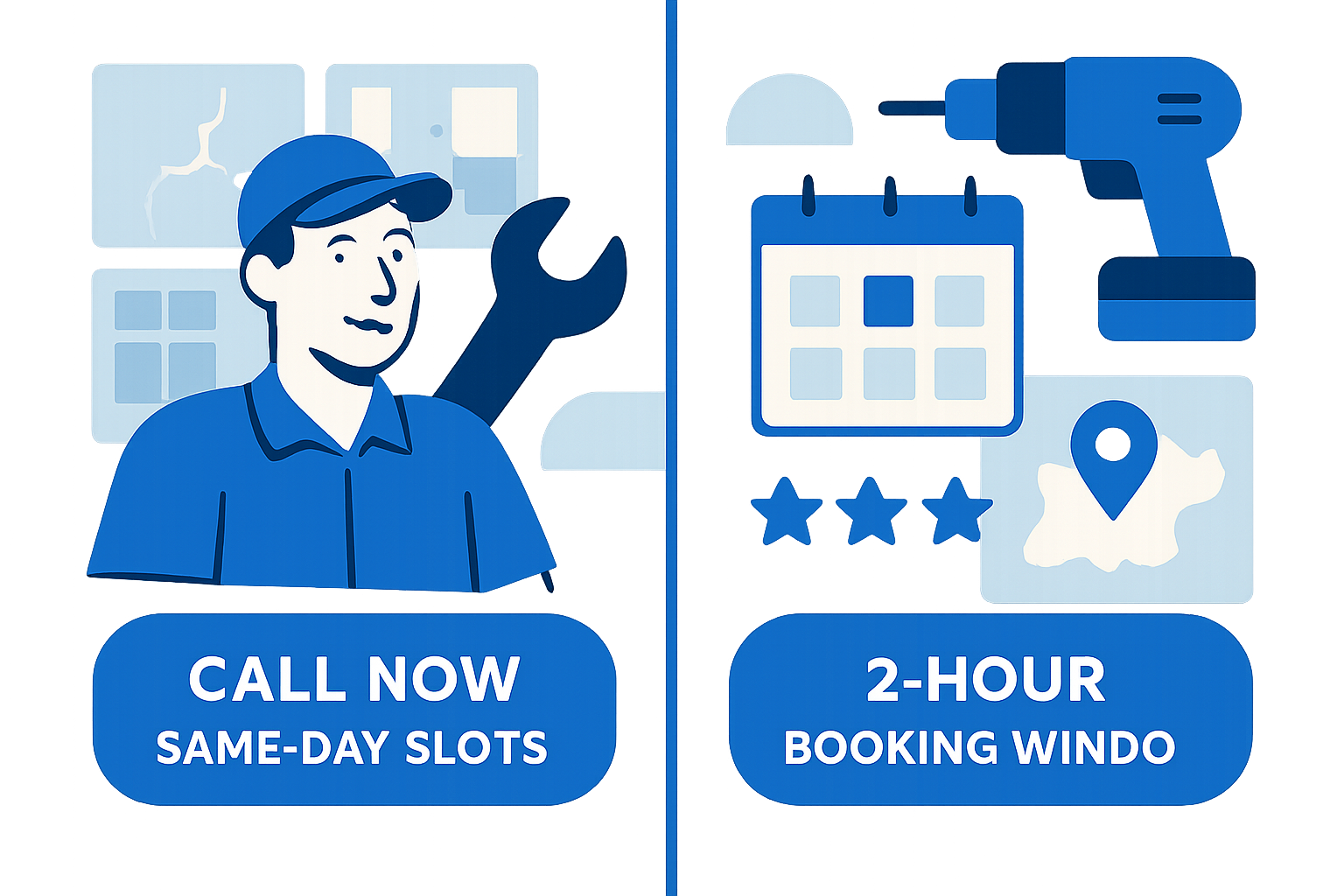
- Two-lane hero: Emergency (“Call now, same-day slots”) and Planned (“Pick a 2-hour window this week”). State “Phones answered 7–7” (or owner’s hours) right in the hero.
- Headline that resolves the anxiety: “Fix it this week” or “Same-day slots before 2pm.” Subhead clarifies scope and neighborhoods.
- Dual primary CTAs: a large click-to-call and equal-weight “Text a photo for a fast quote.” SMS converts when people can’t talk at work.
- Micro-script for SMS button: “Text a photo of the issue to [XXX-XXX-XXXX] for a fast quote.”
- Minimum 44px button height and generous spacing for gloved-thumb taps; keep sticky call/SMS visible on scroll.
- Instant trust bar: live review count/rating, “Licensed & Insured,” years in business, and payment methods.
- State the minimums right there: “$159 first hour, $99/hr after. Trip fee may apply.” You’ll filter mismatched leads and reduce tire-kicking.
- Service area clarity: zip code entry or a small map with “We serve within X miles of [City].” It reduces no-shows and mileage debates.
- Proof module: 6–9 before/after tiles with captions like “Drywall patch • 45 minutes • $159 min.” Include common jobs: TV mount, faucet swap, disposal, door latch, ceiling fan, backsplash repairs.
- Offer stack: new-customer $25 off, bundles (“3 small fixes for $249”), and a seasonal tile (e.g., “Gutter Cleaning Week—only 12 slots”).
- Fast FAQs beside CTAs: pricing minimum, parts policy, 30-day labor warranty, disposal fees, and how scheduling works.
- Footer conversion: NAP consistency, hours, license/insurance numbers, a row of payment badges (Visa, Mastercard, AmEx, Zelle), service area micro-links, and SMS opt-in.
Practical implication: If GBP/LSA often start the journey, your above-the-fold needs to be unmistakably easier to act on—bigger tap targets, explicit availability, and a text option win.
Web design for handyman services: page-by-page blueprint that converts
- Home: problem–solution headline, two-lane hero with call + text CTAs, trust bar, 3–5 top services, zip checker, review carousel (headshots if permitted), seasonal banner, and a mini-FAQ.
- Services hub + 6–10 service pages: each page names the symptom (“Door won’t latch”), gives parts guidance, lists starting price/minimums, shows 3 before/after shots, and finishes with “Book a 2-hour window.”
- Service area pages: 5–12 neighborhoods/cities, each with a unique intro, 3 local job spotlights, a small map, a driving-time promise, and localized review quotes.
- Pricing & FAQs: transparent minimums, hourly vs flat-fee, bundle examples, warranty terms, “we do / we don’t” lists (e.g., no major electrical), and a no-obligation estimator form.
- About/Credentials: owner headshot in field gear, short origin story, PDF downloads for license/insurance, associations (NARI, BBB), and a clear subcontractor policy.
- Reviews page: filter by service type; embed GBP feed; add a prompt: “Text us a photo of your issue for a fast quote.”
- Gallery: before/after grid tagged by category; captions include duration and materials used to set expectations.
- Contact/Booking: phone, SMS, a short form capturing zip, job type, urgency, and preferred 2-hour window; calendar embed if it’s real.
- Micro-script for booking confirmation SMS: “Thanks! You’re confirmed for [Day, 2-hour window]. Reply STOP to cancel.”
- Commercial accounts (optional): pitch property managers/REIs—monthly retainers, priority response, fixed hourly, and a monthly gallery/report.
If you’re sourcing leads for builds, you can shortcut the research using WebHunt.ai’s AI opportunity briefs—each lead’s brief includes screenshots and an audit of what’s broken or missing, which helps you pre-draft an on-point site outline fast.
AI-native web design for handyman services: ship in 24–48 hours
- Stack options: Replit, Lovable, Base44, v0, Bolt, Framer AI, Cursor, Windsurf, Codex Sites, Claude Design/Code. In 2026, build COGS are near-zero and timelines are hours, not weeks. Plan for speed and iteration.
- One-day content intake: collect the top-10 services, a service area list, minimums/warranty text, 15–30 photos, license/insurance PDFs, and recent reviews. Convert to on-brand copy with an AI prompt.
- Layout recipe: hero with sticky call/SMS, scannable modules, gallery-first services hub. Ship the MVP on day one; on day two, tighten internal links, schema, and FAQs.
- Conversion plumbing: tel: links, sms: links, a call tracking number, a form-to-text autoresponder (“Got it—text us a photo”), and optional online scheduling.
- Structured data: LocalBusiness on sitewide, Service schema per service page, review schema where eligible, and areaServed markup to improve snippet clarity.
- Performance guardrails: compress photos, lazy-load galleries, pass Core Web Vitals on mobile, and test tap targets big enough for gloved-thumb use.
If you already have a prospect’s details, the one-click website prompt in WebHunt.ai will generate a ready-to-paste build prompt for the tools above, pre-filled with the business’s real info and photos. That’s how you show a live draft in under an hour.
Pricing and packaging for handyman sites in the AI era
- Starter (single-page or light multi-section): $300–$800. Build time 3–6 hours. Justification: ideal for solo techs mostly dependent on GBP calls who need a clean call/SMS funnel, clear minimums, and proof.
- Core (5–8 pages): $800–$1,800. Build time 6–12 hours. Justification: fits small crews expanding coverage—service-area pages help rank in nearby suburbs and convert non-brand searches.
- Pro (10–15 pages + booking): $1,800–$2,800. Build time 10–18 hours. Justification: for shops running scheduled 2-hour windows—requires real availability, bundles/seasonal modules, and stronger review velocity showcases.
- Hosting/Care: $39–$99/mo for updates, uptime, security, and gallery refreshes. Bundle a basic review-ask automation and quarterly seasonal swaps.
- Add-ons: GBP optimization setup $250–$600 + $150–$300/mo maintenance; LSA setup $250–$600; review engine $50–$150/mo; call tracking $30–$60/mo; local citations $150–$300 one-time.
- Margin note: with AI-compressed fulfillment, even the Core tier routinely clears 80%+ gross margin if you cap delivery under 10–12 hours.
Example ROI math (illustrative): If a Core build adds +20 calls/month, with ~60% answered, ~50% booked, and a $250 average job, that’s about 6 new jobs and ~$1,500 added revenue in month one—breakeven on a $1,200 build in the first month. Keep this framed as a scenario, not a guarantee.
Package copy to the buyer’s reality: “Live in 48 hours. Same-week edits. Pay after you can click-to-call and test SMS.” That framing removes risk and matches their urgency.
Upsells that fit the handyman business model (and actually stick)
- GBP optimization: dial the primary/secondary categories, build out services and products for common jobs, seed Q&A, and set a photo cadence (2–4 per week). Post seasonal offers and report on calls and direction requests.
- Reviews engine: automate a post-job SMS with a direct review link; triage negative feedback privately when allowed. Aim for a steady pace (e.g., 10–20 new reviews/month per tech) and showcase the count growth on-site.
- LSA + call handling: set up LSA with job types and screening, enable call recording, and use missed-call-text-back to catch after-hours inquiries.
- Seasonal campaigns: four simple pushes yearly—spring tune-ups, pre-holiday prep, pre-winter weatherproofing, and storm prep—each with a matching site section ready to receive traffic.
- Content drip for quick-wins: short “how we fix it” posts for the top 10 jobs with before/after photos. Cross-post to GBP Photos and Updates to compound reach.
- Commercial retainer: pitch monthly punch-list maintenance for property managers and realtors—SLA response windows, fixed hourly, and a monthly gallery/report.
When reporting, link outcomes to the phone: calls from GBP, mobile CTR from the site, SMS inquiries captured, and booked windows. That’s the language owners care about.
Prospecting and closing handymen fast (scripts, signals, and assets)
- Qualification signals: no website or Facebook-only presence, no HTTPS, non-clickable phone on mobile, site last updated >2 years, weak GBP (few reviews, wrong categories), and missing service area pages.
- Where to source leads fast: if you’d rather not build the list by hand, WebHunt.ai scores local handyman businesses for buy-likelihood using website-quality and review signals, and can enrich the owner’s direct phone/email so your first outreach hits the decision-maker.
- Pitch angle in seconds: for instant context, open the AI opportunity brief in WebHunt.ai to see screenshots and a suggested pitch angle tailored to each lead’s current site and gaps.
- First-touch script (phone/SMS/email): “You’re showing up for ‘handyman near me,’ but your site makes it hard to call from a phone. I can fix that today. Can I text you a demo link?” Anchor it to response time and call loss.
- 48-hour demo strategy: spin a live draft with their real name, neighborhoods, minimums, and a gallery. Show clickable call/SMS, a service area map, and a simple booking window. Ask for a small retainer to hold the queue.
- Follow-up cadence: Day 0 call + SMS with demo, Day 1 morning missed-call recap, Day 3 seasonal mockup. (Scaling later? Consider an AI Voice Agent SDR or a vetted human caller to book meetings onto your calendar.)
- Close with low-risk terms: “Live site in 48 hours, no contract; pay after you can click to call and test SMS; ongoing care is optional.”
- Delivery-to-ROI framing: tie results to calls. Set a simple target like +20 calls/month from site + GBP combined.
Implementation checklist (copy/paste)
- Intake: services list, zip coverage, minimums/warranty, 20 photos, license/insurance PDFs, top reviews.
- Build: two-lane hero with call/text, trust bar, service grid, gallery, pricing/FAQ, area pages, LocalBusiness + Service schema.
- Convert: tel/sms links, call tracking, missed-call-text-back, short booking form, seasonal tile live.
- Optimize: compress images, lazy-load, Core Web Vitals, minimum 44px tap targets, 3-tap booking flow.
- Promote: GBP categories/services/products, photos weekly, seasonal posts, review-ask automation.
- Report: calls, texts, bookings, review velocity, and organic clicks from GBP/site.
Common pitfalls to avoid
- Hiding the minimums and trip fees—this increases ghosting and haggling.
- Making the phone number an image or a tiny link—on mobile that kills conversion.
- Thin service pages (“Handyman services in City”)—they don’t answer intent or rank.
- Fancy sliders over galleries—people want proof, not animations.
- Desktop-first layouts—most traffic is mobile and urgent.
Ready to put this to work?
If you want a pipeline full of local businesses that actually need new sites or fixes, start where buy-likelihood is highest. Use WebHunt.ai to find, score, and contact handyman leads who are primed for a fast, AI-native site—and close them with a live demo in 48 hours.
Frequently asked questions
What pages does a handyman website absolutely need to convert calls?
Home with a two-lane hero (Emergency vs Planned) and a trust bar, a Services hub with 6–10 specific service pages, Pricing/FAQ with minimums and warranty, a Gallery with before/after proof, Service Area pages, and a short Contact/Booking page. If you add only one more, make it a Reviews page with an embedded GBP feed.
How should I display pricing for handyman services without scaring away leads?
Lead with clarity, not a long price list. Show the first-hour minimum, after-hourly rate, and note any trip fee right above the fold. Pair it with bundles for common punch-list jobs and a simple estimator form to weed out mismatch leads while improving trust and call quality.
Is online booking worth it for handymen or should I push calls/text only?
Offer all three, but bias for mobile-native actions. Click-to-call and SMS will drive urgent jobs, while a short booking form with preferred 2-hour windows suits planned tasks. If you add a scheduler, only show real availability to avoid no-shows and frustration.
How much should I charge to build a handyman website in 2026?
For AI-native delivery, a single-page starter is typically $300–$800, a 5–8 page core build is $800–$1,800, and a 10–15 page pro build with booking runs $1,800–$2,800. Keep fulfillment under 10–18 hours and monetize ongoing care plus GBP/LSA optimization to maintain 80%+ margins.
What upsells make sense for a handyman who already has a website?
GBP optimization and reviews are highest leverage, followed by Local Services Ads with call handling. Layer seasonal promos and a simple content drip showcasing before/after work. For larger accounts, pitch a commercial retainer with SLA response windows and monthly reporting.
How do I measure ROI from a handyman site and GBP work?
Track calls from GBP, mobile tap-to-call from the site, SMS inquiries, and booked windows. Report review velocity and keyword visibility second; the owner cares first about the phone ringing, fewer missed calls, and a steady schedule.
About the author
Cameron Kirdzik — Founder @WebHunt.ai
Cameron is the founder of WebHunt.ai, where he helps web designers, agencies, and freelancers find local businesses that need a website. He writes practical, field-tested guides on prospecting and closing local clients.