Web Design Follow-Up Sequence: The 5-Touch, 3-Channel Cadence
By Cameron Kirdzik — Founder @WebHunt.ai
· 8 min read
TL;DR
- Run a 5-touch, 3-channel cadence over 21 days; most wins happen after touch three [¹].
- Each touch has one job: book a 15–20 minute discovery call.
- Day-7 delivers an AI-built draft site to flip "checking in" into tangible progress.
- Keep messages short (≤150 words email, ≤30s VM, ≤160 chars SMS) and use one CTA.
- Prioritize leads with strong buying signals; automate calls/SMS where compliant [⁵].
Why a 5-Touch, 3-Channel Cadence Wins Local Web Deals
Your first email isn’t being ignored — it’s just the start. Industry data shows the majority of deals close after the third touch, while most sellers stop after one, which is why pipelines feel dry even with good leads 1. Typical SMB cycles need multiple touches; a 5-touch baseline is the minimum structure to capture slow deciders. Multi-channel beats single-channel — combining email, phone, and SMS reliably lifts responses versus email-only 3.
AI changed the follow-up. When we can spin a niche-specific draft site in under an hour, every message can show tangible progress, not "just checking in." The sole objective of this cadence: one binary outcome — a booked 15–20 minute discovery call.
Key takeaway: Follow-up is now a delivery channel. Use it to show progress (draft site, screenshots), not just ask for time.
Cadence Architecture: Channels, Timing, and Goals Per Touch
- Channels:
- Email: system of record and asset delivery.
- Phone + Voicemail: pattern interrupt and authority.
- SMS: brief confirm/link nudge where compliant.
- Timing:
- Day 0: speed-to-lead within 2 hours.
- Day 3: call/VM/SMS pattern interrupt.
- Day 7: value-add asset (draft site).
- Day 14: social proof (case study).
- Day 21: polite breakup/close file.
- Goal per touch:
- T1: establish value, ask for time.
- T2: surface objections live.
- T3: demonstrate progress.
- T4: reduce risk with proof.
- T5: close file or re-open.
- AI-native assumption: You can produce a niche-specific draft in under 30 minutes using Replit, Lovable, Base44, v0, Bolt, Framer AI, Cursor, Windsurf, Codex Sites, Claude Design, or Claude Code — so the value-add is real.
- Guardrails: keep emails 100–150 words, voicemails under 30 seconds, SMS under 160 characters, with a single clear CTA (your booking link).
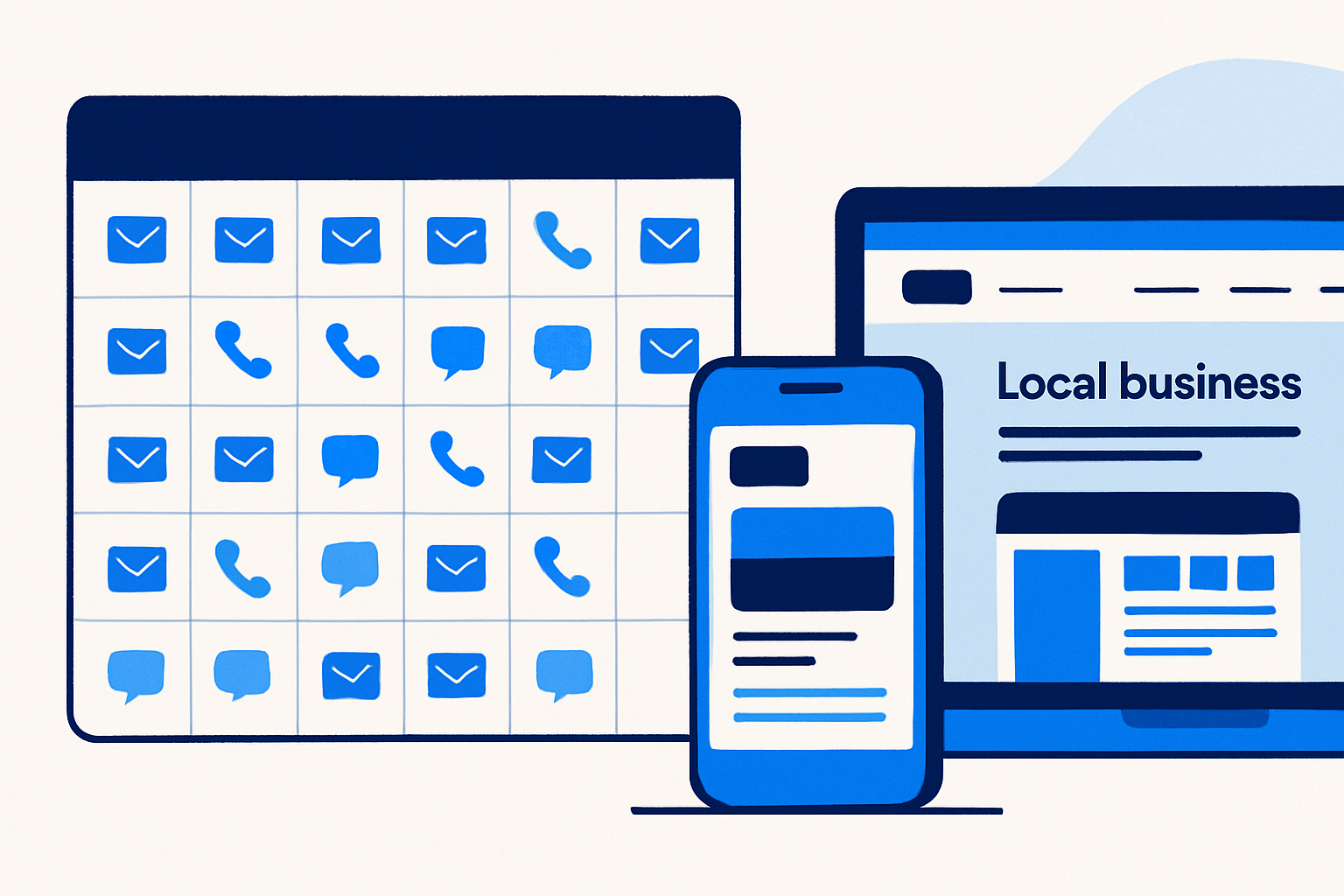
The Exact 5-Touch Follow-Up Calendar (Copy Included)
Operational tip: keep Days 0, 7, and 14 on the same email thread for continuity. Plain language. Mobile-first formatting.
Day 0 — Email (speed-to-lead)
Subject: Quick next step for [Business Name]’s website
Body: "Hi [Owner Name] — thanks for the chat about [specific outcome: more booked jobs from Google/maps]. I can launch a draft homepage within 24 hours so you can see it before deciding.
Two quick options: 1) 15-min call to align on pages/offers, or 2) reply with your top 3 services and target suburbs and I’ll proceed. Here’s my calendar: [Calendly].
— [Your Name]"
CTA: Book 15 minutes.
Why it works: In the AI era, a 24-hour draft is credible and de-risks the decision.
Day 3 — Call + Voicemail + SMS
- Call talk-track: "Hey [Name], it’s [You]. I sent a quick plan to spin up a draft site so you can try-before-you-commit. Takes 15 minutes to align. Do you have [two optional time windows]?"
- Voicemail (if no answer): "[Name], it’s [You]. I can show you a working draft site this week — zero commitment. Texting you my calendar now."
- SMS: "[Name], it’s [You] — link to pick a 15-min slot: [Calendly]. I can have a draft homepage up in 24h for you to review."
Day 7 — Value-Add Email (with concrete asset)
Subject: I mocked up [City] [Trade] homepage for you
Body: "Hi [Name] — while you were thinking, I built a draft homepage tailored to [Trade] in [City] with your top services and a ‘Click-to-call’ header for mobile.
Preview: [Share link]. Quick Loom walkthrough (2 min): [Loom link].
If this direction looks right, we’ll finalize pages in a 15-min call: [Calendly]."
Attach/asset ideas: AI-generated homepage draft, hero section mobile/desktop screenshots, sitemap outline, copy blocks with local keywords.
Day 14 — Case Study/Proof (email + optional SMS)
- Subject: How we got 32% more calls for a [Trade] in [Nearby City]
- Body: "Hi [Name] — sharing a fast proof point. We rebuilt [Client/Anonymized Trade]’s site with clearer offers + speed fixes and they saw a 32% lift in calls from maps and mobile in 30 days. Here’s the 90-second read: [case link]. I can apply the same setup to [Business Name]. Want to see it on your draft? Book here: [Calendly]."
- SMS (optional): "Just sent a 90-sec case study showing results for a similar [Trade]. Link: [short link]. — [You]"
Day 21 — Breakup (email + optional SMS)
- Subject: Should I close your file?
- Body: "Hi [Name] — I don’t want to pester you. Usually folks go quiet for 1 of 3 reasons: 1) wrong timing, 2) went another direction, or 3) still interested but swamped. If it’s 1 or 2, I’ll close your file. If it’s 3, reply with a number (1/2/3) and I’ll hold a spot to finalize your draft. Either way, appreciate the reply. — [You]"
- SMS (optional): "Close your file for now, or hold a spot to finish your draft? Reply 1/2/3. — [You]"
By the numbers: Multi-channel contact (email + call + SMS) outperforms single-channel outreach — use all three where compliant 3.
Building the Day-7 Value-Add Asset in Under 30 Minutes
The Day-7 touch flips the dynamic: you made progress on their behalf while they deliberated.
- Pull real details: services, photos, NAP, and city/area. If you’d rather not research from scratch, WebHunt.ai provides AI opportunity briefs with screenshots and a summary of what’s broken, plus suggested pitch angles you can mirror in the draft.
- Generate fast: paste a ready-to-use website prompt into Replit, Lovable, Base44, v0, Bolt, Framer AI, Cursor, Windsurf, Codex Sites, Claude Design, or Claude Code. If you want a jumpstart, WebHunt.ai can generate a one-click website prompt pre-filled with the business’s real details so you can spin a credible draft quickly.
- Loom walkthrough (2 minutes): highlight mobile-first header with click-to-call; offer blocks; trust badges; lightweight local SEO (service + city); and your page-speed score.
- Hosting/preview: share the builder preview or a temp subdomain, and embed 2–3 PNG screenshots in the email for instant proof.
- Template prompt you can reuse: "Build a fast, mobile-first site for [Trade] in [City]. Pages: Home, Services, Reviews, Contact. Hero CTA: (555) 123-4567. Include sections for [Top 3 services]. Use copy that addresses [pain] and [desired outcome]."
- Quality bar: your draft should score >80 on mobile Lighthouse and load the hero in under 2 seconds on 4G to maintain credibility 4.
Channel Choreography, Compliance, and Light Automation
- CRM setup: create a 21-day sequence — automatic emails on Days 0/7/14; tasks for Day-3 call/VM; scheduled SMS on Days 3/14/21 where compliant.
- Voicemail: 20–30 seconds; one benefit + one action; state your name twice. Don’t pitch the whole thing.
- SMS compliance: get prior express consent where required, include your business name and simple opt-out, respect quiet hours/local rules 5. If you prefer to offload outreach, WebHunt.ai offers an AI Voice Agent SDR that calls leads, pitches your offer, and books qualified meetings to your calendar with compliance guardrails, and a human cold-calling marketplace if you want vetted callers to drive the Day-3 connect.
- Calendar UX: offer 15- and 20-minute slots; auto-remind via SMS 1 hour before (subject to consent).
- Deliverability: authenticate domains (SPF/DKIM/DMARC), warm new domains, and keep cold sends under daily thresholds to protect inbox placement.
Who Gets the Full 5-Touch? Prioritize with Buying Signals
Run the full sequence only where signals justify it.
- Website weaknesses: missing HTTPS, slow mobile, non-responsive layout, outdated content, low review velocity, or recent negative reviews mentioning website issues.
- Trade-level ROI: plumbers, roofers, HVAC, pest control, and other home services — one booked job can pay for the site.
- Owner signal: prioritize when you have the owner’s direct line and a deliverable email; downgrade if you only have a generic inbox. If you’d rather not chase contact details, WebHunt.ai provides owner contact enrichment with direct phone/email and confidence scoring, plus phone line-type checks.
- Lead sourcing: if you want a filtered list instead of manual hunting, WebHunt.ai scores local businesses for buy-likelihood using HTTPS/mobile/speed/freshness signals and review momentum so you can focus Day-7 work on the most convertible leads.
- Disqualify/short-cadence when: no owner contact after 2 weeks, explicit budget freeze, or misfit (nationals with central IT).
- Pipeline math: aim for 25–35% reply rate by Touch 5 and 5–10% meetings-booked per qualified lead across the sequence.
Measure, Iterate, and Productize Your Cadence
- Track per-touch KPIs: open rate (T0/T7/T14), call connect rate (T3), asset clicks (T7), replies, and booked calls.
- A/B test one variable at a time: subject lines (question vs benefit), CTA phrasing ("review a draft" vs "book a call"), and case format (numbers-first vs story-first).
- Template library: build industry-specific swaps for Day-7 mockups and Day-14 proof so personalization takes under 5 minutes.
- Scale rule: expand volume only after Touch-3 asset CTR >15% and Touch-5 close-file replies >10% — both indicate healthy attention.
- Productize: sell a "Draft-in-24h" package with a small refundable deposit to reduce no-shows; deliver the draft with your 2-minute Loom.
- Pipeline ops: manage leads and stages in one place. WebHunt.ai includes a deal pipeline/workflow so you can save leads, track stages (T1–T5), and export or automate via API/Zapier.
Implementation Checklist (Copy/Paste)
- Set up your 21-day sequence (Days 0/3/7/14/21) with the copy above.
- Prepare your AI builder workflow and a reusable prompt template per niche.
- Create a Loom outline and checklist for the Day-7 walkthrough.
- Build a case study one-pager with a clear before/after and a screenshot.
- Configure domain authentication and calendar reminders.
- Source a prioritized lead list with owner contacts; tag by trade/city and weakness signals.
Common Mistakes to Avoid
- Asking for a long reply instead of a short booking.
- Sending a "value-add" without real substance — Day 7 must include a live preview or screenshots.
- Overwriting: emails longer than 150 words bury the CTA.
- Skipping the call/VM step — it’s often the first real pattern interrupt.
- Scaling volume before your Touch-3 asset consistently earns clicks.
Example Calendar (Week-by-Week Snapshot)
- Week 1: Day 0 email within 2 hours; Day 3 call/VM/SMS.
- Week 2: Day 7 asset email + Loom; respond to any replies same-day.
- Week 3: Day 14 case study email (+ optional SMS).
- Week 4: Day 21 breakup email (+ optional SMS) and disposition the lead.
When in doubt, default to the next scheduled touch. Slow deciders respect consistent, value-dense follow-up.
Ready to put this to work?
Spin up your 5-touch sequence and feed it with scored local leads. Use WebHunt.ai to find businesses with website gaps, pull owner contacts, generate a ready-to-paste AI site prompt, and book more discovery calls.
Frequently asked questions
How many follow-ups are too many for local web design leads?
Five thoughtful touches over 21 days is a solid baseline for slow deciders. If there’s no movement after the breakup email, pause and re-approach in 60–90 days with fresh proof or a new draft direction rather than extending the same sequence indefinitely.
Should I include pricing in the first email or wait until after the discovery call?
Keep Day-0 focused on value and a quick booking. If pressed, give a simple range and anchor the try-before-you-commit draft. Detailed pricing lands better after a 15–20 minute call when you’ve aligned on pages, offers, and ROI.
What’s the best time of day to place the Day-3 call for higher connect rates?
Early morning (before the first job) and late afternoon (after field work) typically connect best for trades. Offer two concrete time windows in your talk-track and always leave a concise voicemail with a single call-to-action.
Can I run this cadence if the lead came from a referral, not cold outreach?
Yes — tighten the timeline by moving the asset touch to Day 5 and personalize subject lines with the referrer’s name. The cadence structure stays the same; your tone shifts to warmer language and clear next steps.
How do I avoid spam filters when sending the Day-7 asset email with links?
Authenticate your domain (SPF/DKIM/DMARC), limit links to one preview and one Loom, and avoid heavy images. Keep copy plain-text, under 150 words, and send from a consistent address that matches your booking domain.
Can an AI voice agent or human caller run the call/SMS steps for me?
Yes. Delegate the Day-3 and Day-21 call/SMS tasks to a compliant AI voice agent or vetted callers so the cadence runs even when you’re building. You handle live callbacks and booked meetings the same day to keep momentum.
Sources
- 1 Sales Follow-Up Statistics 2026: 17 Numbers That Explain Why 80% of Deals Require 5+ Touches | LeadResponse | LeadResponse
- 3 SMS Marketing Statistics 2026 - Fascinating Numbers
- 4 Does Your Lighthouse Score Really Affect Your SEO? (The 2026 Reality Check)
- 5 SMS Marketing Laws: Complete Compliance Guide for 2026
About the author
Cameron Kirdzik — Founder @WebHunt.ai
Cameron is the founder of WebHunt.ai, where he helps web designers, agencies, and freelancers find local businesses that need a website. He writes practical, field-tested guides on prospecting and closing local clients.