Web Design Client Onboarding: A Repeatable, AI-Ready Process
By Cameron Kirdzik — Founder @WebHunt.ai
· 11 min read
TL;DR
- Treat onboarding as risk control: most delays come from missing content and slow approvals, not build speed.
- Use a tight intake form, a scripted 60-minute kickoff, and a shared content tracker with AI-generated first drafts.
- Define “on time” contractually: 3-day review windows, day-for-day schedule shifts, and a pause/restart rule after 10 business days late.
- Show a working draft in 48 hours using AI builders; lock a design system early to minimize revisions.
- End with a structured handoff and a 90-day plan to turn launches into retainers.
You can ship a working draft in hours with Replit, Lovable, Base44, v0, Bolt, Framer AI, Cursor, Windsurf, Codex Sites, Claude Design, or Claude Code. The constraint isn’t build time — it’s inputs and decisions. A solid web design client onboarding process turns that constraint into a predictable flow: clear owners, deadlines, and AI-assisted content.
If you’re also feeding your pipeline programmatically, WebHunt.ai helps before onboarding even starts by scoring local businesses with weak or outdated sites so you’re only onboarding qualified buyers. When the right lead says “yes,” the process below starts the same day.
Web design client onboarding checklist (AI-ready)
- Pre-onboarding handoff: scope locked, payment, comms, and responsibility set (jump)
- Welcome + Next Steps email with links and policy (jump)
- Intake form completed + assets uploaded (jump)
- AI shortcut kicks off copy brief and outline (jump)
- 60-minute kickoff with scripts + expectation clause (jump)
- Content tracker live with owners, due dates, and saved filters (jump)
- Timeline, approvals, and change control set (jump)
- Week Zero working draft shared fast (jump)
- Handoff meeting + 90-day plan to open a retainer (jump)
Key takeaway: Promise AI-speed delivery, but make the schedule dependency on client content explicit — in your SOW and reinforced in kickoff.
Pre-onboarding handoff: from yes to ready-to-kickoff
Lock these items before you schedule kickoff:
- Signed MSA/SOW and a one-paragraph scope summary (pages, features, integrations)
- Brand voice/positioning owner identified
- Payment terms confirmed; deposit collected
- Primary decision-maker (and secondary approver if any)
- Communications channel agreed (email/Slack)
- Content responsibility decided (client vs studio)
Include this non-negotiable SOW clause:
“Client approvals and content are due within 3 business days of request. The schedule shifts day‑for‑day when late. At 10 business days late, work pauses; a restart fee may apply.”
Send a single “Welcome + Next Steps” email within 1 business day.
- Subject: Welcome aboard — kickoff + content plan
- Body:
- Paragraph 1: We’re excited to get started. Our projects move fast because we timebox reviews. “On time” means approvals and content are returned within 3 business days; if late, the schedule shifts day‑for‑day. At 10 business days late, work pauses and a restart fee may apply.
- Paragraph 2: Here are your links — Intake Form: [link] • Asset Upload Folder: [link] • Schedule Kickoff: [link].
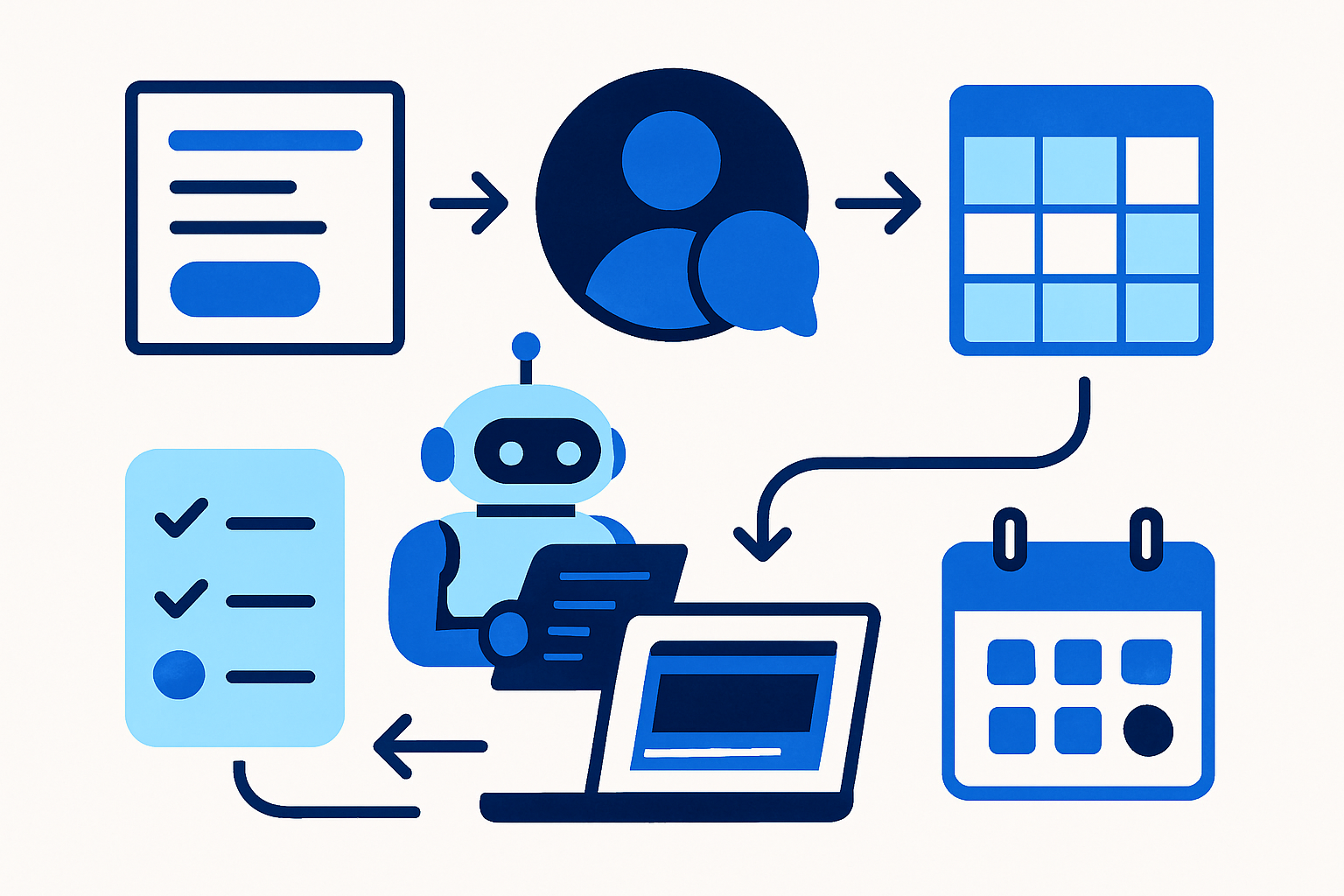
- Paragraph 3: Our delivery flow: Intake → Kickoff → Content/Assets → AI First Draft → Review → Revisions → Launch → Handoff → 90‑day Plan. Your owned steps are in bold on the kickoff slide.
- Paragraph 4: Questions any time: [name], [email], [phone]. Urgent matters: use the agreed Slack channel or call/text.
Pre-kickoff research you prepare (light but decisive):
- One-paragraph current-site audit
- Three competitor notes
- Five-bullet positioning hypothesis (audience, value prop, proof, CTA, tone)
Where AI fits pre-kickoff:
- Use intake pre-answers + business basics to pre-generate a site outline and placeholder copy you’ll validate live.
- If you prefer a structured audit scaffold, WebHunt.ai can generate AI opportunity briefs that summarize what’s broken/missing and suggest a pitch angle you can adapt into your kickoff notes.
The intake form: exact questions that drive a fast build
Copy/paste this structure into your form tool (force required on most, with file uploads where noted):
- Business basics:
- Legal business name; public-facing name
- Website URL (if any); Google Business Profile link
- Primary service area (cities/ZIPs)
- Primary phone/email; operating hours
- Decision/contacts:
- Owner/primary decision-maker name, role, mobile, email
- Secondary approver (if any)
- Who provides content (client/studio)?
- Who has domain/DNS access?
- Offer and positioning:
- Top 3 services (in order)
- Average job value
- Typical response time promised
- Unique proof (licenses, warranties, guarantees, certifications)
- Three competitors you lose to/win against and why
- Brand and voice:
- Brand voice adjectives (trustworthy, fast, premium, family-owned)
- Forbidden phrases/claims
- Brand colors/hex
- Logo upload link (file upload)
- Photos/portfolio link (file upload encouraged)
- Outcomes and success:
- What would make this website a win in 90 days? (3 bullets)
- Desired primary CTA (call, form, booking)
- KPIs to track (calls, form fills, booked jobs)
- Pages and features:
- Must-have pages (Home, Services, Locations, About, Reviews, Gallery, FAQs, Blog, Contact)
- Online booking needed? Chat or texting? Lead magnets?
- Integrations (CRM, scheduling, payments)
- Content inventory:
- Existing copy to reuse?
- Photos/video on hand?
- Testimonials/reviews we can quote?
- Compliance statements required (HIPAA, licensing, financing disclosures)
- Timeline and approvals:
- Ideal launch date; internal blackout dates
- Weekly availability for reviews; preferred meeting cadence
- How fast can you review drafts? (24–72 hours)
- Legal and compliance:
- Required disclaimers; trademark notes; ADA expectations; privacy/cookie requirements
- Technical:
- Current host/CMS; domain registrar; email provider; any IT constraints
File uploads (required when possible):
- Logo (SVG/PNG), brand guide (PDF), 10 best photos, brochures/proposals you already use
Commitment prompts at the end (checkboxes):
- “I understand my content due dates drive the launch date.”
- “If content is more than 10 business days late, I agree the project pauses and a restart fee may apply.”
Here’s what triggers as soon as the form lands.
AI shortcut after submission:
- Auto-generate a first-draft copy brief summarizing brand voice, priority services, and CTA hierarchy from the answers. Attach it to the kickoff agenda.
- If you want a head start on building, the one-click website prompt in WebHunt.ai can generate a ready-to-paste prompt for your AI site builder with the business’s real details and photos, so you can validate the outline fast.
Kickoff call structure (60 minutes) with scripts
Agenda with timeboxes:
Intros and roles (5)
Project goals and success metrics (10)
- Ask: “If this website did one job incredibly well in 90 days, what would it be?” Lock the primary CTA.
- Audience, offers, and proof (10)
- Ask: “What proof do we have for each claim — licenses, warranties, case photos?”
- Confirm: “Is there any claim we can’t legally make?” (surface compliance early)
- Site outline and IA confirmation (10)
- Live-review your pre-generated outline: Home, Service hubs, Individual services, Locations, About/Team, Reviews/Proof, Project Gallery, FAQs, Contact/Booking.
- Annotate which pages are v1 vs backlog so there are no orphan expectations.
- Content plan and due dates (10)
- Decide A) Client writes with your templates, B) You write with AI-first drafts, C) Hybrid.
- Show the shared content tracker with owners and due dates.
- Design direction and brand assets (10)
- Review colors, typography, imagery style; confirm assets received or deadlines for missing items.
- Next steps and approvals (5)
- Approvals checklist: site map approved; hero messages per page approved; brand assets received; content due dates accepted; meeting cadence set; next review date on calendar.
Expectation-setting most designers skip (state verbatim):
- “On time means you provide the assigned content and approvals within 3 business days of each request; if content is late, the launch date shifts day-for-day; 10 business days late triggers a pause and restart fee.” Ask for a verbal “yes” and capture it in notes.
Note: Ask for verbal agreement, then email the exact clause in the recap.
AI-era promise you can credibly make:
- “Once we have approvals on the outline and initial copy brief, we’ll produce a working draft site within 48 hours for review.”
Send a same-day recap email with all decisions, due dates, and links to the tracker and upload folder.
Content collection system that actually ships
Build a shared content tracker (Notion/Sheet) with this schema you can paste:
- Columns: Page | Owner | Status | Due date | Review window (open/close) | Decisions needed | Links (doc/assets) | Notes
Create saved filters: “Due this week,” “Blocked by client,” “Awaiting approval,” and share read-only with stakeholders.
Attach an asset checklist:
- Logo (SVG/PNG), brand guide, 10–20 photos (people, work, location), licenses/certifications, testimonials with names, service list with pricing ranges (if public), policy docs (warranty/financing)
Three-path content plan (choose one in kickoff):
- A) Client-writes with your templates
- B) You write using AI-first drafts
- C) Hybrid: you write core pages; client supplies FAQs/testimonials
AI injections that remove bottlenecks:
- Generate a copy brief from intake answers.
- Produce initial page copy from the business description and service list.
- Pre-fill FAQs from trade + service area; client fact-checks.
- Present drafts as: “Here’s a starting point based on what you shared — mark up what to adjust.”
Approval rhythm:
- Two-day review windows per batch (Home + 1 Service first; then remaining Services/Locations)
- Send reminders at T-24 hours; escalate at T+48 hours per SOW
Email nudge template:
- Subject: “Review Window: Home + Services draft closes Wednesday”
- Body: “Quick reminder that feedback is due Wednesday 5pm. Here are the links. Decisions needed: headline, CTA, top 3 service bullets.”
Imagery floor:
- If no photos by X date, you’ll ship with stock placeholders; client can swap later. Document this to protect launch.
Analytics prep:
- Request Google Analytics and Google Business Profile access during content collection so launch isn’t blocked.
For teams using a pipeline tool, WebHunt.ai can track leads and deals through stages with its deal pipeline and workflow features, keeping onboarding tasks visible across prospects and active clients alike.
Timeline, approvals, and change control in an AI-compressed build
Milestones (assume AI speed; content shifts dates day-for-day):
- M1 Kickoff (Day 0)
- M2 Copy Brief + Site Map Locked (Day 1–2)
- M3 First Working Draft (Day 2–3)
- M4 Review Round 1 (Day 3–5)
- M5 Revisions + QA (Day 5–7)
- M6 Launch Readiness (Day 7–9)
Approval rules:
- Silence is not consent. If no feedback by the deadline, pause and reschedule the review window rather than guessing.
Revisions policy:
- Two rounds per page template within scope. Additional rounds billed or moved to backlog/retainer. Clear examples of new scope: net-new pages, integrations, or a rewritten brand voice.
Change requests mid-flight:
- Maintain a Change Log; confirm price/time impact within 1 business day; defer non-critical changes to post-launch backlog to protect launch.
Payment milestones aligned to outcomes (not time):
- Deposit at M1
- Mid-payment at M3 (working draft delivered)
- Balance at M6 (launch readiness)
Teams that document approvals and change control typically experience less scope creep and better margins than ad‑hoc projects. If you’re coordinating multiple clients simultaneously, mirror these milestones in your CRM or use WebHunt.ai deal pipeline stages to keep approvals and payment triggers synced.
By the numbers: A rapid working draft creates momentum that clients feel — it usually improves satisfaction.
Week Zero build: show a working draft fast with AI-first delivery
Workflow:
- After kickoff approvals, generate a working draft with your AI builder of choice (Replit, Lovable, Base44, v0, Bolt, Framer AI, Cursor, Windsurf, Codex Sites, Claude Design, or Claude Code) so stakeholders react to a live site, not a PDF.
Depth to deliver
- Produce 1–2 hero variants and one complete service page so feedback is concrete.
How to present it
- “I started drafting the copy and layout from what you shared — take a look and tell me what to adjust. We’ll finalize tone and swap in your photos as they arrive.”
Lock decisions early
- Colors, type scale, buttons, forms — once approved, apply globally to cut revision cycles. Run a 5-minute usability smoke test (mobile nav, form submits, quick performance checks) before sharing to avoid noise about obvious issues.
If you want to accelerate the very first draft, the one-click website prompt in WebHunt.ai can pre-fill an AI builder prompt with the client’s details and photos, shaving setup time.
End-of-project handoff that opens the door to a retainer
Handoff package checklist:
- CMS/admin access
- 10–15 minute training video
- Passwords/secrets via a secure vault
- Documentation: how to edit pages, forms, blog
- DNS/hosting notes; backup/rollback plan
- Analytics dashboards; uptime/monitoring info
Launch QA signoff sheet:
- Forms tested, tracking verified, 404/redirects set
- Page-speed targets met; basic schema in place
- Legal pages present (privacy, terms, cookie)
Handoff meeting script (20 minutes):
Celebrate launch (2)
Walk through CMS edit basics (6)
Review analytics dashboard and what to watch weekly (4)
Present 90-day growth plan + retainer options (6)
- Care: updates, backups, uptime, minor edits
- Conversion: monthly A/B on hero + CTA, form optimization
- Content: one page/post per month
- Local SEO: GBP posts/reviews/citations
- Offer the AI-era pilot: “Month 1 includes a no-risk A/B test on the hero; if we don’t improve conversion, cancel before Month 2.”
- Confirm next check-in date (2)
Clients who receive a structured handoff plus a 90‑day plan are more likely to buy ongoing services than those who only get credentials emailed. If you’re tracking expansions across many accounts, log this handoff and 90-day plan as a pipeline stage so it doesn’t slip; WebHunt.ai can keep these post-launch opportunities visible alongside new prospects.
Putting it all together: the documented, repeatable flow
- Sell and qualify
- Pre-onboarding email + policy
- Intake form completed + assets uploaded
- AI copy brief auto-generated
- Kickoff (scripted, 60 minutes)
- Content collection system live with owners and dates
- AI-first working draft in 48 hours
- Two-day review windows; day-for-day shifts if late
- Revisions + QA; launch readiness
- Structured handoff + 90-day plan → retainer bridge
This is the AI-native way to run web projects: compress build, control inputs, and turn launches into month-two revenue.
Ready to put this to work?
If you want a pipeline that feeds this onboarding machine, browse qualified local prospects for free in WebHunt.ai, unlock owner contacts when you’re ready, and use AI opportunity briefs to walk into kickoff prepared. Build fast, onboard clean, and turn launches into retainers.
Frequently asked questions
What happens if the client doesn’t deliver content on time?
Define “on time” as approvals/content within 3 business days. Your SOW should state that the schedule shifts day-for-day when content is late, and a 10‑business‑day delay triggers a pause and restart fee. Reinforce this in kickoff, the recap email, and your content tracker. This clarity protects your AI-compressed build window.
How do you handle AI-generated copy — who owns it and who fact-checks it?
Treat AI drafts as starting points derived from the client’s inputs. The client is the final fact-checker and approves legal/compliance language; you facilitate with review windows. Ownership of final copy should transfer upon payment per your MSA. Keep a change log of client-approved edits to show provenance.
How many revision rounds should be included in scope for a fast-turnaround site?
Two rounds per page template is standard when you show a working draft early. Timebox feedback windows (e.g., 48 hours) and pause if missed. Additional rounds or net-new pages move to a paid change order or the post-launch retainer backlog.
What’s the best way to collect images if the client has none?
Set a photo delivery deadline; if missed, launch with high-quality stock placeholders documented in the SOW. Offer a quick on-site photo add-on or provide a shot list if they’ll DIY. Replace stock as real photos arrive without moving the launch date.
How do you set payment milestones for an AI-fast project?
Anchor payments to outcomes, not calendar time: deposit at kickoff, mid-payment on delivery of the working draft, and balance at launch readiness. This aligns with AI-speed production and reduces cash-flow risk while keeping both sides focused on concrete deliverables.
Which CMS should I pick for clients who want to self-edit?
Pick a CMS with intuitive inline editing and role permissions your client can handle in a 10–15 minute training video. The best choice is the one you can templatize for repeatable handoffs and fast support — consistency across your portfolio beats chasing features client-to-client.
About the author
Cameron Kirdzik — Founder @WebHunt.ai
Cameron is the founder of WebHunt.ai, where he helps web designers, agencies, and freelancers find local businesses that need a website. He writes practical, field-tested guides on prospecting and closing local clients.