The Demo-First Close: Show a Website Demo Before the Close
By Cameron Kirdzik — Founder @WebHunt.ai
· 9 min read
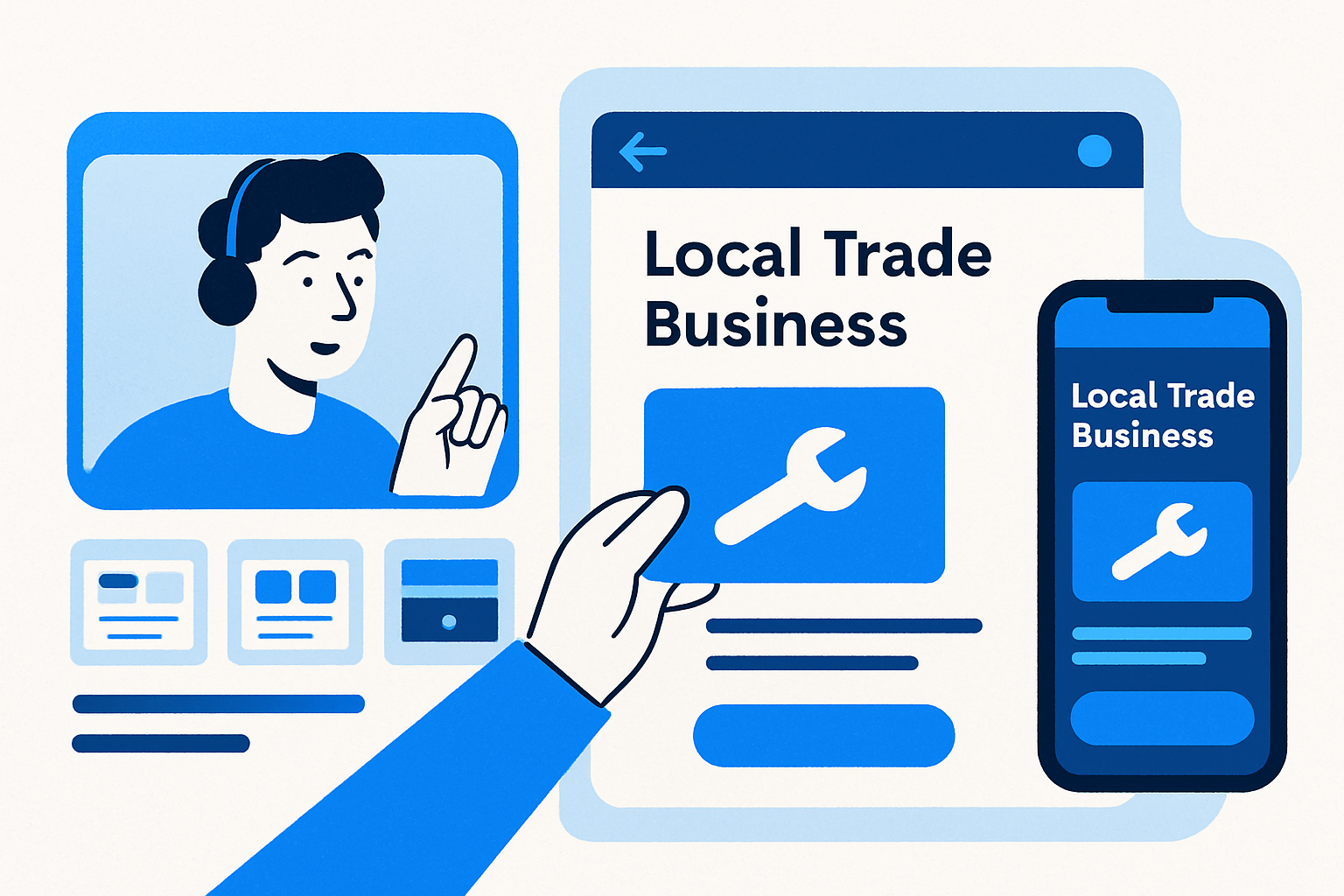
TL;DR
- Prospects buy faster when you screen-share a live draft of their own site, not a generic deck.
- Use AI builders + WebHunt.ai’s one-click prompt to build a credible first fold in 10–12 minutes.
- Book a 20–30 minute 'show-and-tell' discovery and reveal as soon as the hero + CTA render.
- Price with AI-era economics: low setup, fast pilot, and a monthly retainer with risk reversal.
- Track demo-first metrics; pipeline throughput outruns craftsmanship in the AI era.
Why Demo-First Wins in the AI Era
Buyers decide faster when they see their brand live. A working draft collapses abstraction, reduces perceived risk, and makes the “what am I buying?” question obvious.
AI build tools — Replit, Lovable, Base44, v0, Bolt, Framer AI, Cursor, Windsurf, Codex Sites, Claude Design, Claude Code — compress build time from weeks to hours. A same-call demo isn’t a heroic one-off anymore; it’s a repeatable play.
We’re not selling a spec. We’re letting the buyer test‑drive their site with near‑zero switching cost. When fulfillment cost approaches zero, our energy belongs in running more demos and tighter follow-ups. Production is no longer the bottleneck; prospecting and closing are.
Benchmark what you can show live: a 3–5 section draft (hero, trust band, services grid, social proof, conversion block) is realistic on-call. For multi-page sites, you can complete an above‑the‑fold and key CTAs, then outline the rest.
Key takeaway: The demo-first close trades pixel-perfect polish for momentum. Buyers don’t need final — they need confidence.
Pre-Call Setup: Pick Demo-Ready Prospects and Book the Right Meeting
- Prioritize trades where one booking covers month one: roofing, HVAC, plumbing, pest control, med spa. These are phone‑first buyers with obvious ROI.
- Qualify for demo-likelihood signals: missing site, no HTTPS, broken mobile, slow speed, stale content, weak review momentum. The worse their current experience, the stronger the demo contrast.
- If you’d rather not build the list by hand, WebHunt.ai lets you filter by trade + city/state + weakness signals and sorts leads by buy‑likelihood score so you can queue 30–50 demo‑ready leads daily.
- Enrich the owner’s direct phone and email before outreach so your slots land with decision‑makers, not receptionists. WebHunt.ai provides on‑demand owner contact enrichment with confidence scoring and line‑type checks to prioritize mobile for call‑to‑connect.
- Book a 20–30 minute “show‑and‑tell discovery” — not a vague intro. Set the expectation: we’ll review goals, audit gaps, and preview a live direction.
- When your manual outreach tops out, consider WebHunt.ai’s human cold‑calling marketplace or AI Voice Agent SDR to fill your calendar with demo appointments. Both book directly into your calendar so you can focus on running the play.
Your Demo-Day Run of Show (00:00–00:30): Agenda and Expectation Framing
- Open with a micro‑agenda: “2 minutes on goals, 3 minutes on your current site, 10 minutes to build a live draft, 5 minutes on pricing and next steps.”
- Set the frame: “This is a rough draft built from your real details. It’s not final, but it shows the direction and the core conversion path we’d launch.”
- Get permission to screen‑share (and record if applicable). Confirm decision criteria: “Are we optimizing for calls, quote requests, or bookings?”
- Anchor the timebox: “We’ll keep this to 20–25 minutes and leave with a go/no‑go.”
Pull the Brief, Generate the Site, Show the Draft (00:03–00:15)
Here’s the exact on‑call workflow.
- Pull the brief for contrast
- Open the lead’s AI opportunity brief in WebHunt.ai. Keep the current‑site screenshots (desktop/mobile) on screen for 30–60 seconds while you summarize issues: missing HTTPS, buried phone number, slow load, no reviews, weak content.
- Generate the build prompt in one click
- Click the one‑click website prompt in WebHunt.ai. It pre‑fills business name, services, city, phone, photos, and review snippets for your builder.
- Paste into your builder of choice and generate
- Use Replit, Lovable, Base44, v0, Bolt, Framer AI, Cursor, Windsurf, Codex Sites, Claude Design, or Claude Code. Target a first pass with:
- Hero with city + primary service and a single primary CTA.
- Trust band (licenses, years in business, “Locally owned”).
- Services grid of 3–6 money makers.
- Proof block: review highlights/photos.
- Conversion block: click‑to‑call and short quote form.
- Narrate the why as it builds
- Tie features to audit gaps: “Your current site buries the phone number; here it’s sticky and click‑to‑call on mobile.”
- “We’re loading review proof above the fold because 70%+ of your buyers call first on mobile. The goal is a call in 10 seconds.”
- Collect quick inputs
- Confirm service area coverage, the top 3 money services, after‑hours rules, and preferred CTA phrasing (“Call now” vs “Get a fast quote”).
- Live‑edit 2–3 specifics
- Personalize the headline with city + primary service.
- Swap the hero image for a real photo.
- Drop license/insurance badges and a simple “Since 2009” credibility line.
- Switch to mobile view
- Show the sticky CTA and phone button. Owners respond to the tangible mobile experience first. Slow down for 15 seconds and let them imagine a customer tapping it.
By the numbers: AI tools have reduced web‑build labor cost by roughly 90–95%, which is why a credible live draft in minutes — and low setup pricing — now pencils out profitably for solo operators and micro‑agencies.1
The Moment to Reveal and How to Handle Imperfection
Reveal as soon as the hero and primary CTA render. Momentum beats perfect.
Use this line when rough edges appear: “This is 70% direction, 30% polish. Today is about the conversion path. We tidy copy and brand right after you greenlight.”
Flip weaknesses into decisions: “Two headline options — speed vs credibility. Which matches how you sell?” Micro‑choices create ownership.
Invite a small commitment: lock in the main CTA and service priority live. People buy what they helped shape.
If the builder stalls, keep the WebHunt.ai audit screenshots on screen to maintain value while the draft finishes, then flip back.
Pricing, Risk Reversal, and the Same-Call Close (00:15–00:25)
Offer a demo‑day incentive that highlights your AI‑speed advantage: same‑day go‑live on a pilot domain or a subpage bundle within 24–48 hours is realistic.
Use a rational ROI frame: one booked roof inspection, HVAC tune‑up, or same‑day pest treatment often covers your first month. You are not selling art; you’re selling calls.
Try‑before‑commit options that still protect your time:
- Modest setup + first month refundable if no leads/calls in 30 days (tie “leads” to call logs or form fills), or
- Keep the draft live as a landing page for 2 weeks while they decide, then archive if not moving forward.
Price in the AI era, not 2022:
- Brochure/micro‑site setup at $0–$1,000, plus a monthly for hosting, edits, analytics, and light CRO.
- Additional pages/features priced incrementally (service pages, blog hub, quote form integrations). Your margin lives in the monthly.
Close with a binary CTA:
- “Want me to finish this and point your domain this week, or should we park it and revisit later?”
- Then shut up and let them answer.
Async Variant: Pre-Builds and Follow-Up Assets
Live building isn’t always ideal — committee buyers, spotty Wi‑Fi, or strict procurement. Switch to an async‑first variant.
- Pre‑build the hero + first fold and a services section the morning of the call using the WebHunt.ai prompt and your preferred builder. Keep it 70/30 direction/polish.
- Record a 3–5 minute Loom walking through the draft and mapping each element to the audit findings. Send immediately after the call with 2 headline options and a CTA choice.
- Export highlights from the WebHunt.ai opportunity brief into your proposal as the “Before” state. Include side‑by‑side screenshots of current vs draft above the fold.
- Bundle fast, AI‑powered add‑ons: FAQ schema, review embed, speed pass, and an “after‑hours routing” CTA toggle. They add perceived value with near‑zero build time.
Measure What Matters: Demo-First Metrics and Pipeline Math
Design is cheap; pipeline throughput decides your income. Track these:
- Booked‑demo rate from qualified leads: 10–20% with phone‑first outreach. Tweak scripts and time blocks until it’s consistent.
- Demo‑to‑close rate: 20–40% when you show a personalized live draft during the call. Track by niche to learn your spikes.
- Pipeline math example: 50 qualified contacts/week → 8 demos → 2 closes at $600 setup + $150/mo = $1,200 setup + $300 MRR weekly; MRR compounds.
- Benchmark context: AI tools have reduced web‑build labor cost by roughly 90–95%, enabling profitable low setup fees with healthy monthly retainers.1
- Operational guardrail: cap your live‑build to 10–12 minutes. Anything beyond is unpaid perfectionism; schedule polish post‑close.
To operationalize this, log and stage your pipeline somewhere you’ll actually use daily. If you want it in the same place you source leads, WebHunt.ai includes a deal pipeline with stages, notes, exports, and API/Zapier so you can automate follow‑ups around demo outcomes.
Common Pitfalls and a Pre-Call Checklist
Pitfalls to avoid:
- Over‑designing live and running out the clock.
- Burying the CTA or skipping the mobile preview.
- No clear next step, or demoing to a non‑decision‑maker.
Pre‑call checklist:
- Owner’s name and direct phone confirmed; decision criteria clarified.
- Top 3 money services and service area verified.
- Logo and a few real photos handy (or confirm permission to pull from Google/FB).
- AI builder accounts logged in; WebHunt.ai brief open; one‑click website prompt ready.
- Calendar booking or checkout link prepped for same‑call acceptance.
- Domain connection plan ready: “We can handle DNS end‑to‑end; I’ll send a short screen recording of the handoff.”
Always capture objections verbatim. Mirror them back in the recap email with counters anchored to the live draft they just saw — not abstract claims. Example: “You mentioned speed concerns; here’s the Lighthouse score from the draft and the CDN plan we’ll enable on go‑live.”
Script Library: Lines That Keep Momentum
- Permission + agenda: “Mind if I share my screen? Agenda is 2 min goals, 3 min audit, 10 min live draft, 5 min next steps.”
- Expectation frame: “This is a rough draft from your real details — direction today, tidy after you greenlight.”
- Imperfection reframe: “We’re at 70% direction. The point is your phone rings; we’ll polish the edges once we lock the CTA.”
- Micro‑commitment: “Between ‘Call now’ and ‘Get a fast quote,’ which matches how your team handles inquiries?”
- Binary close: “Do you want this finished and live this week, or should we park it for later?”
Tooling Stack: What to Prep Once, Use 100x
- AI builders: Replit, Lovable, Base44, v0, Bolt, Framer AI, Cursor, Windsurf, Codex Sites, Claude Design, Claude Code. Pick two you can drive blindfolded.
- Prompt scaffolds: Short, trade‑specific patterns for hero, trust band, services, proof, CTA. Save as snippets. The WebHunt.ai one‑click website prompt jump‑starts this with real business data and photos.
- Audit assets: A standard contrast slide with “Before” screenshots (mobile first). The WebHunt.ai AI opportunity brief generates these automatically.
- Follow‑up: A Loom template, a one‑page proposal template, and a DNS handoff checklist.
Niche Nuances: Tailor the First Fold by Trade
- Roofing/HVAC: Lead with “Fast, local, licensed” above a same‑day service CTA; include financing/insurance claims if available.
- Pest control: Emphasize speed and guarantee; after‑hours toggle and emergency line top‑right.
- Med spa: Lead with credibility and outcomes; hero image quality matters more, CTA can be “Book consultation.”
- Legal: Proof and trust dominate; bar number, associations, and clear practice areas; form first, phone second.
Each niche gets a bespoke first fold, but the conversion math is the same: one clear CTA, immediate proof, frictionless mobile action.
Troubleshooting: When Live Builds Get Messy
- Builder stalls or errors: Keep the audit screenshots visible and narrate the plan; switch to your pre‑built snippet for the hero while the builder catches up.
- Prospect wants the draft file before buying: Offer a 7‑day pilot on a neutral domain; ownership transfers on payment.
- Committee asks for formal proposal: Send the Loom walkthrough plus a one‑page scope with the binary next step and a demo‑day incentive expiring in 72 hours.
Key takeaway: The close happens when they feel the phone‑call path. Show it early, personalize it lightly, and make saying “yes” the easiest action on the screen.
Frequently asked questions
What if the AI-generated draft looks off-brand or generic during the call?
Pre-frame that the demo is 70% direction, 30% polish. Live-edit two details that matter most (headline + city, CTA phrasing, hero image) to prove fit. Post-close, swap fonts/colors and refine copy to meet brand. If brand is strict, use a neutral style and focus on conversion structure rather than aesthetic choices.
Can I demo-first if I only sell redesigns, not net-new builds?
Yes. The contrast is even stronger when the current site underperforms. Use the AI opportunity brief to show screenshots and gaps, then generate a new above-the-fold that fixes them. Pitch it as a conversion-first refresh that keeps their brand while fixing mobile speed, clarity, and calls-to-action.
How do I handle decision-makers who can’t join the live session?
Run the draft anyway, then immediately send a 3–5 minute Loom that maps each element to the business goals and audit findings. Include a binary next step, a short deadline, and offer a brief Q&A hold for the decision-maker. For committees, schedule a 15-minute ‘reveal replay’ with the hero and CTA locked.
What minimum assets do I need before a demo (logo, photos, copy)?
A business name, services, city/area, phone, and 2–3 real photos is enough. You can scrape public photos with permission or use placeholders and swap one hero image live. Pull review snippets to seed proof. The goal is a credible conversion path, not brand-perfect collateral.
Which AI website builders work best for live demos, and why?
Tools like Replit, Lovable, Base44, v0, Bolt, Framer AI, Cursor, Windsurf, Codex Sites, Claude Design, and Claude Code generate a usable first fold in minutes and allow quick edits. Pick two you know well for reliable rendering, mobile previews, and fast image swaps; consistency beats a longer tool list.
How do I avoid giving away free work without a commitment?
Keep the on-call build to the first fold and a services section. Host on a neutral domain and gate asset transfer behind payment. Offer a short pilot window instead of handing over files, and use demo-day incentives with clear expiry to encourage a same-day decision.
Sources
About the author
Cameron Kirdzik — Founder @WebHunt.ai
Cameron is the founder of WebHunt.ai, where he helps web designers, agencies, and freelancers find local businesses that need a website. He writes practical, field-tested guides on prospecting and closing local clients.