Slow Website Prospecting: Turn 5‑Second Loads into Sales Calls
By Cameron Kirdzik — Founder @WebHunt.ai
· 9 min read
TL;DR
- A 5‑second load on a local business site is a warm-to-hot lead; over half of mobile users bounce by 3s [¹].
- Batch free audits with PSI/CrUX, WebPageTest, and Screaming Frog; export a one-row summary per lead.
- Translate speed into owner math: show monthly revenue lost from 3–5s delays [⁵].
- Shift the pitch from patching to replacing with AI-built, CDN-delivered sites (Vercel/Netlify/Replit) that hit ~1–2s loads.
- Systematize weekly: source 150 leads, audit 200 URLs, send 60 clips, book 6–10 calls, close 2–4.
Why a 5-second site is a warm lead (and how AI changes the pitch)
A 5‑second load on mobile isn’t a technical quirk — it’s a revenue leak. For local SMBs, speed directly impacts calls, form fills, and bookings. More than half of mobile visitors abandon if a site takes longer than 3 seconds to load 1. As load time rises from 1s to 3s, bounce probability jumps roughly a third 2. That’s a pipeline problem, not a PageSpeed score problem.
Core Web Vitals give you owner-friendly thresholds: LCP under 2.5s, INP (replacing FID) under 200ms, and CLS under 0.1 are considered a “good” experience 3. When you frame speed around these simple cutoffs, your pitch becomes tangible.
In the AI era, you don’t sell months of tuning. You rebuild same-day on fast-by-default hosting: static or hybrid output, CDN edges, and zero plugin bloat. Replit, Vercel, and Netlify deploy lean builds that avoid render-blocking assets common in legacy WordPress stacks. That compresses delivery to hours and flips your offer from “let me fix your slow site” to “I’ll replace it with one that loads in ~1–2s for less than you’ll spend patching.”
Key takeaway: Speed is money. A 5‑second page is a warm lead — and a fast-by-default rebuild is now the sane, same-week fix.
Speed thresholds that signal buy-likelihood
Use speed as a qualification filter so you prioritize business owners who feel the pain now.
- Warm lead: mobile LCP > 4.0s or TTFB > 800ms on 4G; p75 CrUX mobile LCP marked “needs improvement” or “poor.”
- Hot lead: mobile fully loaded time ≥ 5s on a homepage or booking page; render‑blocking resources > 300KB before first paint; image payload > 2MB on mobile.
- Urgency amplifiers:
- Active ad spend (UTM/GCLID in URLs, or you clicked an ad to a slow landing page).
- Seasonal demand spike (HVAC in summer, plumbers in winter) + slow speed.
- Review momentum rising while web performance lags — brand demand is outpacing site UX.
- No‑tool tells: jittery hero carousel, layout shift on first scroll, laggy tap‑to‑call. Log with timestamp and device.
- Highest intent surfaces: “near me” service pages, booking/quote forms, and click‑to‑call paths. If first meaningful content lags beyond 3s, those pages are blocking revenue.
Build your speed-prospecting list (fast)
Start where one extra booking pays for the project: roofers, plumbers, HVAC, pest control, garage doors, med spas, family law, dental implants. These trades often run legacy stacks and have high LTV.
- Use a scored database so you’re not starting from zero. Filter by trade + city, then stack weakness signals (slow, HTTPS missing, non‑mobile‑friendly).
- If you’d rather not build the list by hand, WebHunt.ai surfaces local businesses scored for buy‑likelihood using speed, mobile readiness, HTTPS, review momentum, and more. You can filter by trade and city to queue only those with slow or weak sites.
- Hunt for heavy stacks: WordPress with 20+ plugins, slider-heavy themes, multiple font families, third‑party script bloat — common precursors to 4–7s mobile loads.
- Capture URLs you’ll test: homepage plus the money pages (booking, top service, contact). Build a simple CSV with columns: business_name, url_home, url_booking, city, phone, owner_name (if known).
- Bonus enrichers (free): check if they’re running ads via a branded search, note CDN presence in response headers, and see if images are WebP/AVIF vs JPEG‑only.
Run free speed audits at scale: the toolset and exact workflow
You can audit hundreds of URLs with free or freemium tooling and an hour of hands-on time once scripts are set.
- Google PageSpeed Insights API (free)
- Batch the API for each URL. Store mobile p75 LCP, CLS, INP, TTFB, and Lighthouse performance.
- Use consistent settings (mobile strategy) to keep comparisons clean.
- CrUX API or BigQuery (free tier)
- Pull real‑user mobile distributions for the URL or origin to prove the issue hits actual visitors, not just lab runs 4.
- WebPageTest or SpeedVitals Bulk Tester
- Test from a US mobile location with 4G throttling. Capture first byte, start render, LCP, and a filmstrip.
- Screaming Frog + PSI API enrichment
- Crawl top 50–100 pages. Enrich each with PSI mobile field/lab metrics. Export CSV with a slow_flag if LCP > 4s or CLS > 0.25.
- Lighthouse CI headless
- Generate repeatable lab screenshots/filmstrips on a Moto G4/slow 4G profile for your talk‑track visuals.
- Minimum export per lead
- One row per lead with: URL, mobile p75 LCP, Lighthouse score, TTFB, total bytes, image bytes, render‑blocking bytes, and an emoji severity (🟥 hot, 🟧 warm).
- Timebox
With API batching and a 200‑URL list, expect same‑day turnaround and under 60 minutes of hands‑on.
Helpful shortcut: if you want an audit head start, WebHunt.ai provides AI opportunity briefs with desktop/mobile screenshots and an at‑a‑glance diagnosis you can pair with your PSI/CrUX pulls.
Translate speed metrics into owner language: revenue, not requests
Metrics don’t sell, money does. Keep your narrative to three steps: loss math, visual proof, and a sane fix.
- Loss math:
- Visual proof:
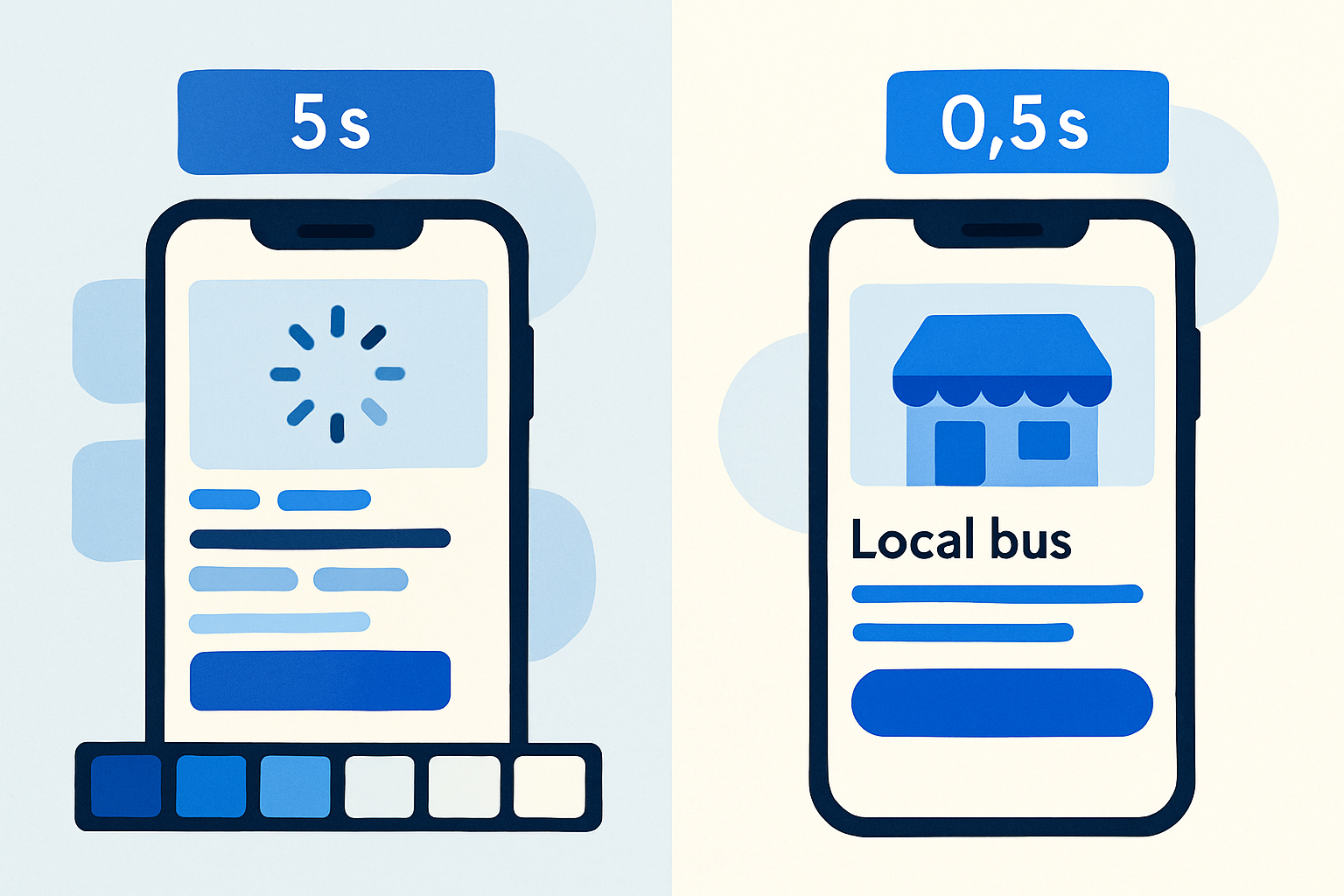
- Show filmstrips: current 5s load vs a 1.2s AI draft with the same hero copy. Owners feel the gap when they see the phone number appear at 1.2s vs 4.8s.
- Concrete culprits:
- Oversized hero (2.8MB), five render‑blocking CSS files, slow shared hosting TTFB, no CDN, and dozen third‑party scripts loading in head.
- Buyer journey tie‑in:
- “This booking page takes 4.6s before the form appears on a typical 4G phone. Many never even see the form.”
- Pre‑empt the “our dev is on it” reply:
- “Even with minification, the theme + plugin stack won’t get under 2s on mobile. Replacing it is cheaper than months of tinkering.”
By the numbers: You don’t have to win an SEO debate. Show the loss math and the 1.2s filmstrip. That’s the meeting.
The talk-track that converts a speed finding into a discovery call
Use a concise, punchy sequence that leads with the problem, quantifies the impact, and offers a risk‑free draft.
- Opener (voicemail/email): “Saw your AC Repair page takes ~5 seconds to load on a typical phone. Google’s data shows over half of visitors bounce by 3 seconds. I recorded a 30‑second video showing where the drop‑offs happen.” 1
- Bridge to impact: “That 2‑second gap is likely costing you booked jobs this week, not next quarter. I mocked up a version that loads in about 1.3 seconds so you can compare.”
- Risk reversal: “I can stand up a live draft on modern hosting in 24 hours. No commitment until you see it pulling under 2 seconds on your phone.”
- AI‑era closer: “Rather than patching plugins, I replace the stack with an AI‑built, CDN‑delivered site (Replit/Vercel/Netlify) that’s fast by default and usually costs less than tuning the current theme.”
- Call to action: “Worth 10 minutes this week to review the video and numbers? I’ll bring the speed report, the live draft link, and 3 options (keep, fix, or replace).”
- Follow‑up text (no reply): “Quick clip showing your booking page at 5.4s vs 1.2s: [link]. If I can’t show sub‑2s on your phone, I’ll buy your coffee.”
Practical add‑ons:
- Include owner info early so your outreach reaches the decision‑maker. WebHunt.ai can enrich a lead with the owner’s name, direct phone, and email (plus mobile vs landline checks).
- If you prefer to stay hands‑off on dialing, you can route the same pitch through WebHunt.ai’s AI opportunity briefs as pre‑read, then have a human SDR or AI voice agent place the call.
Replace, don’t patch: your fast-by-default build recipe
Speed sells when you can show it live. Your recipe should ship a working draft with real copy, on modern hosting, in hours.
- Hosting/runtime
- Vercel or Netlify for CDN edge delivery and serverless where needed. If a CMS is necessary, choose a performant managed host or a headless layer.
- Build tools
- Replit, v0, Bolt, Framer AI, Lovable, Claude Design/Code, Cursor, or Windsurf to generate lean, static‑first or hybrid ISR output. Target a <150KB critical path and optimized images (AVIF/WebP).
- Non‑negotiables
- Image optimization/polishing; preload critical CSS; defer third‑party scripts; lazy‑load below‑the‑fold media; limit to 1–2 font families, locally hosted.
- WordPress when required
- If WP is non‑negotiable, ship a barebones theme, minimal plugins, a page cache, and a CDN. For speed‑sensitive pages, consider a static or headless marketing layer.
- Sales collateral baked in
- Deliver a draft Lighthouse mobile score >90 with a filmstrip. That artifact closes deals faster than a slide deck.
Weekly workflow, KPIs, and scaling with human/AI SDRs
Throughput, not tinkering, drives revenue in the AI era. Build a weekly rhythm that prioritizes speed‑qualified leads.
- Weekly cadence
- Source 150 leads, bulk‑audit ~200 URLs, send 60 personalized 20–30s clips, book 6–10 discovery calls, close 2–4 replacements. Near‑zero fulfillment costs make volume your edge.
- KPIs to track
- % of URLs with mobile LCP > 4s, video reply rate, booked‑call rate per niche, and days‑to‑close after showing a live draft.
- Automation backbone
- Script PSI/CrUX pulls, auto‑generate a one‑slide “loss math” using their numbers, and template a screen‑recorded clip with filmstrip + phone stopwatch.
- Outbound leverage
- Offload dialing: test human cold‑calling and AI voice appointment‑setting. WebHunt.ai offers an AI Voice Agent SDR that can pitch your speed findings and book directly to your Google/Outlook calendar.
- Feedback loop
- Ship the fast draft within 24 hours of first reply and make it the anchor of your proposal (keep vs fix vs replace). That immediate proof sustains momentum.
Pipeline tooling options:
- Lead sourcing and scoring: WebHunt.ai lets you filter by trade, city, and speed/quality signals to focus only on likely buyers.
- Workflow: save leads, track outreach stages, and export to your dialer/CRM. The public API/Zapier support in WebHunt.ai can automate handoffs from audit to outreach.
Owner-ready one-pagers: how to package your findings in 10 minutes
Create a repeatable, scannable artifact you can attach to an email or bring to a call.
- Header: business name, tested page, device profile, date.
- Three metrics: p75 mobile LCP, TTFB, Lighthouse performance.
- Filmstrip visuals: current vs mock (1.2s target), with timestamps.
- Loss math: visitors × 53% drop‑off × lead rate × job margin = monthly loss 15.
- Options table: keep (no change), fix (estimated hours and cost), replace (AI‑built, sub‑2s, price, 24‑hour draft). Circle “replace” when fix cost approaches rebuild cost.
This one‑pager becomes your follow‑up PDF and the basis of the paid scope if they choose fix/replace.
Common pitfalls to avoid in speed-led prospecting
- Don’t drown owners in jargon. Lead with loss math and a 20‑second clip; stash the PSI CSV for Q&A.
- Don’t benchmark desktop first. Mobile is where abandonment hurts most.
- Don’t promise scores; promise an experience: “sub‑2s on your phone” beats “Lighthouse 95.”
- Don’t patch a plugin forest. If you count more than a handful of render‑blocking assets and third‑party scripts, default to replace.
Ready to put this to work?
If you want a faster path from slow site to booked meeting, start with scored leads and field‑ready briefs. Find local businesses with weak or slow sites, pull owner contacts, and generate pitch‑ready audits with WebHunt.ai. Then ship a sub‑2‑second draft in 24 hours and let the filmstrip do the selling.
Frequently asked questions
How do I calculate lost revenue from slow page loads for a local business?
Estimate monthly mobile visitors to the target page, apply a 53% abandonment at 3s, and multiply the lost visitors by the site’s lead rate and average job margin. That gives you a directional monthly loss figure you can validate on a discovery call. Keep the inputs conservative to maintain credibility, and show the math inline so the owner can adjust assumptions [¹][⁵].
What’s the difference between Lighthouse lab data and CrUX field data, and which should I show a client?
Lighthouse is a controlled lab test; it’s repeatable and great for before/after comparisons. CrUX is aggregated field data from real Chrome users and reflects actual device/network conditions. Use Lighthouse for demos and filmstrips, and cite CrUX to prove the problem affects real visitors, not just your test rig [⁴].
How can I bulk test 100+ URLs for mobile speed without paying for enterprise tools?
Combine the free PageSpeed Insights API for lab and field metrics, CrUX API/BigQuery for distributions, and WebPageTest or SpeedVitals for filmstrips. Use Screaming Frog to crawl top pages and enrich via the PSI API. Script the pulls and export a one‑row summary per lead so you can email 60 personalized clips in a day.
If a client insists on WordPress, how do I still hit sub‑2‑second mobile loads?
Start with a barebones theme, minimal plugins, and a strong caching layer fronted by a CDN. Inline critical CSS, defer third‑party scripts, compress/serve AVIF/WebP images, and self‑host 1–2 fonts. For the fastest path, consider a static or headless marketing layer for the homepage and top service pages even if the rest remains WP.
What thresholds should I use to label a lead as warm vs hot based on speed?
Warm: mobile LCP > 4.0s or TTFB > 800ms; CrUX marking p75 LCP as ‘needs improvement’ or ‘poor.’ Hot: fully loaded ≥ 5s on homepage or booking page, render‑blocking > 300KB, and image payload > 2MB. Treat active ad spend to slow pages as a heat amplifier.
How do I handle the objection that their SEO agency is already working on page speed?
Acknowledge the effort, then show why structural limits cap gains: legacy themes and plugin forests rarely hit sub‑2s on mobile. Offer a no‑risk comparison: a live draft on modern hosting that they can test on their phone. If your draft isn’t faster, they keep the status quo and pay nothing.
Sources
- 1 Many Visitors Abandon Mobile Sites If Load Time Tops 3 Seconds via MediaPost (source: Google) - The ARF
- 2 20+ Interesting Website Speed Statistics (2026)
- 3 Core Web Vitals 2026: LCP, INP, CLS Optimization Guide
- 4 How Chrome UX Report (CrUX) Actually Works: Complete End-to-End Flow of Real User Performance Data | Front End Vitals
- 5 Cold Calling Success Rate in 2026: Data From 200K+ Calls Analyzed | Scrap.io
About the author
Cameron Kirdzik — Founder @WebHunt.ai
Cameron is the founder of WebHunt.ai, where he helps web designers, agencies, and freelancers find local businesses that need a website. He writes practical, field-tested guides on prospecting and closing local clients.