Sell SSL Certificates to Local Businesses: The 2026 HTTPS Wedge
By Cameron Kirdzik — Founder @WebHunt.ai
· 8 min read
TL;DR
- HTTP still shows a “Not Secure” label—owners hate it and buyers bounce.
- Pitch a same-day HTTPS fix + a 24-hour homepage draft built with AI.
- Use AI-era pricing and volume prospecting to target high-LTV trades.
- Lean SOP: 60-minute HTTPS + hardening; parallel a homepage makeover.
- Systematize the upsell into a full redesign after the lock icon lands.
Why HTTPS Is an Easy, Fast-Close Wedge in 2026
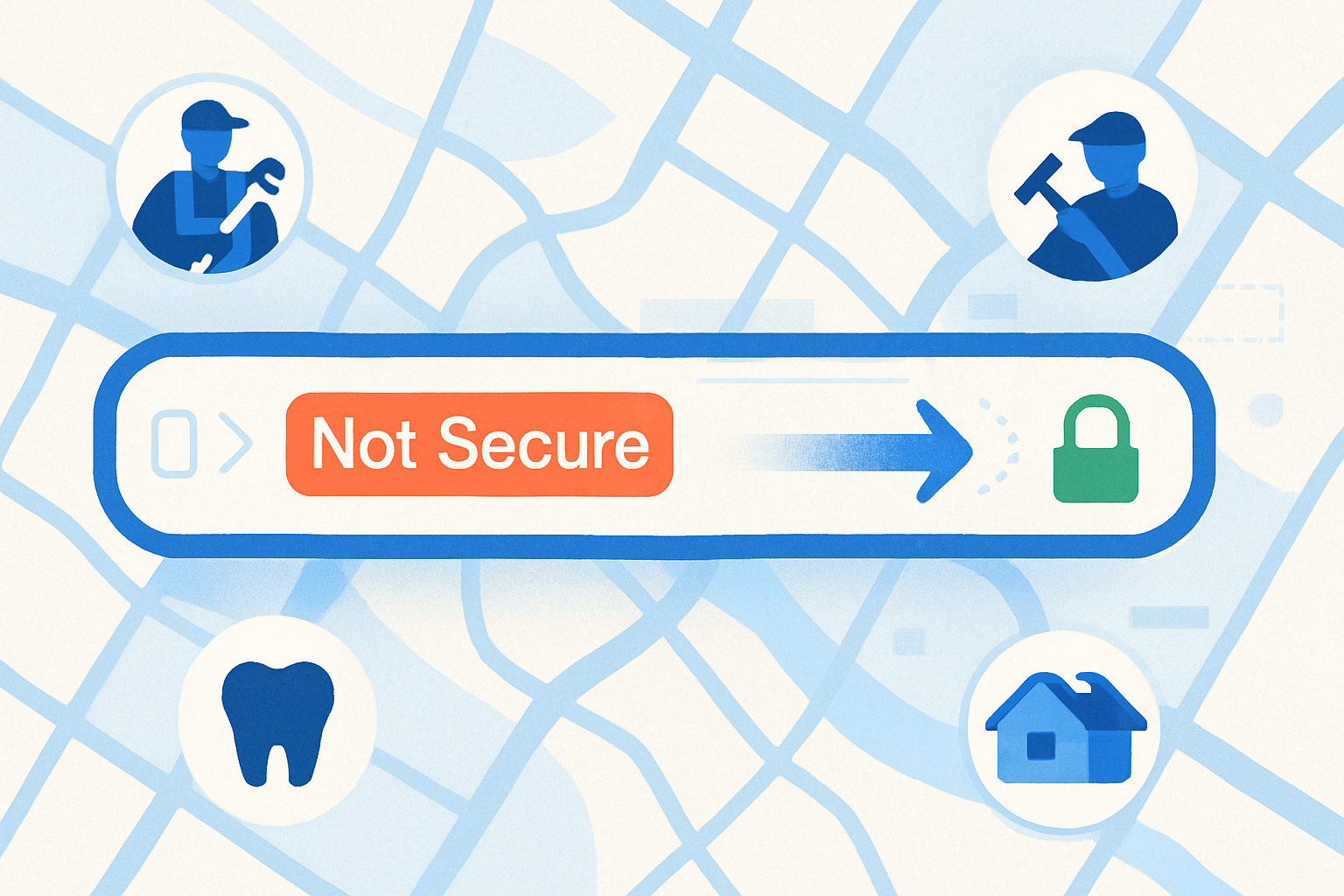
Browsers label HTTP sites as “Not Secure” right in the address bar. Visitors see it on desktop and mobile in Chrome and Chromium-based browsers — it spooks buyers even when no payments are taken 1.
Google still treats HTTPS as a lightweight ranking signal. Moving to HTTPS removes a headwind and cleans up crawling issues (e.g., forms behind interstitials), so you’re not handicapping otherwise solid pages 2.
AI-era promise you can credibly make: “We’ll remove the ‘Not Secure’ warning today and show you a fresh homepage draft by tomorrow.” That’s feasible when you run Framer AI, Replit, v0, Bolt, or Lovable in parallel.
Low friction: the owner rarely needs to switch platforms to add HTTPS. WordPress, Squarespace, Wix, Shopify, and most hosts support DV certificates with auto-renew.
ROI lands instantly in high-LTV trades (roofing, HVAC, pest control, dentistry). One incremental booking covers an HTTPS fix and a homepage refresh.
Key takeaway: HTTPS is a trust fix you can deliver same day — and the perfect setup to pitch a cleaner, faster homepage draft tomorrow.
Explain ‘Not Secure’ in Plain Language Owners Understand
Owner-friendly framing: “Right now, your website shows a ‘Not Secure’ label in the browser bar. It means the connection isn’t encrypted — like sending a postcard instead of a sealed letter.”
Show-and-tell beats jargon. Bring a screenshot of their actual URL bar on mobile and desktop with the warning visible. Circle the label and the lock icon users expect.
Consequences they feel: some visitors bounce, some won’t submit forms, and certain browsers gate features like geolocation/auto-fill on non-HTTPS pages.
When warnings appear: any page served over HTTP, especially those with forms (contact, booking, newsletter), triggers stronger warnings in modern browsers 3.
Mixed content gotcha: even an HTTPS site can show ‘Not Secure’ if pages load images/scripts over HTTP. Make it clear your service fixes that too.
Prospecting at Scale: Find Non-HTTPS Sites and Prioritize the Right Buyers
- Build a filtered list by city + trade (e.g., “roofing companies in Phoenix”). Flag signals: missing HTTPS, non-mobile-friendly, slow speed, and stale content so you can stack upsell potential.
- Prioritize high-LTV and emergency-response categories (roofers, plumbers, HVAC, pest control, electricians, auto repair, urgent dental) where a single job funds the project.
- Triage scorecard:
- 3 points — Missing HTTPS
- 2 points — Mobile issues
- 2 points — Fewer than ~30 reviews or declining recent reviews
- 1 point — Load time > 3s Pitch the top 20% first.
- Batch-qualify in a single afternoon: pull 100–200 leads, tag 40–60 with clear ‘Not Secure’ or mixed-content indicators, then queue outreach with owner contacts and short, visual briefs.
- For multi-location brands, note locations with inconsistent HTTPS (some location pages still on HTTP) — quick multi-site win.
If you’d rather not build the list by hand, WebHunt.ai scores tens of thousands of local businesses on HTTPS status, mobile-friendliness, speed, content freshness, and review momentum. You can filter by trade and city/state, then sort by buy-likelihood using its lead database & scoring to find the fastest closes.
Outreach That Converts: Scripts, Emails, and Visuals
Phone opening script (use verbatim):
“I noticed your site shows a security warning to visitors. It says ‘Not Secure’ in the browser bar. I can remove that warning today and bundle it with a speed tune-up, then show you a fresh homepage draft tomorrow — no obligation. Do you have 60 seconds?”
Close with a bundled offer (use verbatim):
“We’ll enable HTTPS, fix any mixed content, add basic security headers, and deliver a homepage makeover draft in 24 hours. Flat $299 today, or $0 upfront if you want to see the draft first and decide.”
Email variant:
- Subject: “Your website shows ‘Not Secure’” or “Quick fix: remove browser warning today”
- Body: two-sentence opener + screenshot of their URL bar; 2-bullet promise (same-day lock icon; 24-hour homepage draft) + calendar link.
SMS/DM micro-pitch: “Saw ‘Not Secure’ on your site. I can fix it today + send a new homepage draft tomorrow. Reply ‘OK’ and I’ll send a 2-line plan.”
Visual proof beats argument. Attach a one-page audit showing the warning, a before/after lock icon mock, and a checklist of what you’ll fix.
Urgency lever you can back up: “This is a same-day fix. I’ll start now and text you when the ‘Not Secure’ label is gone.”
To accelerate contact, use WebHunt.ai for owner contact enrichment — it finds the owner’s name, direct phone, and email with confidence scoring. If you prefer to scale calls without lifting the handset, WebHunt.ai also offers an AI Voice Agent SDR to pitch and book meetings directly on your calendar.
Fast Fulfillment SOP: 60-Minute HTTPS + 1-Day Makeover Draft
Certificate options: Let’s Encrypt (free DV with auto-renew) or host-provided DV typically covers local service sites; OV/EV is rarely needed unless a compliance policy requires it 4.
Platform playbook:
- WordPress: enable Let’s Encrypt or host DV; update site URL; force HTTPS; if needed, use Really Simple SSL.
- Nginx/Apache: install DV cert; add 301 redirects from HTTP→HTTPS; verify canonical.
- Squarespace/Wix/Shopify: toggle built-in SSL; ensure “force HTTPS” is on; re-save any absolute URLs.
- Cloudflare: enable Universal SSL; set Full (Strict) if origin cert is valid; force HTTPS via rules; test for redirect loops.
- Verify with SSL Labs; aim for an A grade.
Fix mixed content:
- Crawl with your favorite tool and find http:// assets.
- Replace absolute URLs; enqueue a Content-Security-Policy with upgrade-insecure-requests for a safe sweep.
Hardening basics:
- Enable HSTS (start with 6–12 months), prefer TLS 1.2/1.3 ciphers, add security headers (X-Content-Type-Options, Referrer-Policy), and ensure HTTP→HTTPS redirects are canonical 5.
AI-parallelization:
- While DNS/propagation runs, generate a homepage redesign draft via Framer AI, Replit, v0, Bolt, or Lovable using a structured prompt.
- If you want to skip manual prompt-building, WebHunt.ai has a one-click website prompt that pre-fills real business details and photos for builders like Framer AI, Replit, v0, Bolt, Cursor, and more — paste and ship.
Time budget (typical):
- 10 min — discovery & access
- 15–20 min — cert + redirects
- 10–20 min — mixed content cleanup
- 10 min — headers + testing
- In parallel: 30–60 min — AI homepage draft + light edits
By the numbers: A streamlined HTTPS fix typically runs under 60 minutes hands-on, with a 24-hour AI draft ready to present.
Pricing, Bundles, and AI-Era Margins
Anchors that sell fast:
- SSL-only fix: $149–$399
- HTTPS + mixed content + headers: $249–$599
- Bundle with 1-page makeover draft: $499–$1,500 (niche and urgency dependent)
MRR angle:
- Care Plan at $49–$149/mo: cert renewals, uptime, monthly edits, review widget, and quarterly speed checks.
Margin math example:
- $399 HTTPS+hardening bundle
- ~1 hour hands-on + 30 minutes AI-draft edit
- Near-zero software cost → target 70–90% gross margin at volume.
Tier snapshot:
| Tier | Deliverables | Turnaround | Price | COGS (est.) | Gross Margin | Upgrade Path |
|---|---|---|---|---|---|---|
| Lock Icon Fast Fix | DV cert + redirects | Same day | $199–$349 | $20–$50 | 80–90% | Add mixed content + headers |
| Secure & Speed | + mixed content + basic headers | 24 hours | $299–$599 | $40–$100 | 75–90% | 1-page makeover draft |
| HTTPS + Makeover | All above + AI homepage draft | 24 hours | $499–$1,500 | $60–$200 | 70–90% | Full redesign ($1.5k–$4k) |
Discount levers:
- “Fix now, pay after lock icon shows.”
- Split-pay with immediate scheduling.
Objection Handling, Risk, and Compliance Talking Points
“We don’t take payments.” Response: forms still carry personal info, and browsers warn on any HTTP page with form fields — trust and form submissions drop when visitors see warnings 3.
“My host includes SSL for free.” Response: great — you’re paying for implementation, redirects, mixed content cleanup, and hardening (HSTS, headers, TLS), not the certificate itself.
Compliance baseline: modern browsers and payment processors require TLS 1.2+; weak protocols/ciphers can break features and violate processor terms 5. Plus, HTTP/2/3 over TLS can improve perceived speed versus legacy HTTP/1.1.
Guarantee to de-risk: “If the warning isn’t gone in 24 hours, you owe nothing.”
Scope guardrails: define exclusions (custom code that needs developer time) and change orders for complex mixed content or legacy plugins.
From HTTPS Fix to Full Redesign: Systematize the Upsell
- Moment of maximum trust: send a before/after screenshot of the URL bar the minute the lock icon appears — then link the 24-hour homepage draft.
- Side-by-side comparison: highlight copy upgrades, hero clarity, and call-to-action contrast. If you use predictive heatmaps, show the draft’s expected focus.
- Low-risk pilot: stage the new homepage for one week; if leads improve, roll into a full-site refresh.
- Bundle roadmap: homepage + services page + lead form optimization + review widget + speed pass. Package as a 1-week AI build with clear scope.
- Follow-up cadence: Day 0 (fix), Day 1 (draft), Day 3 (feedback), Day 7 (proposal), Day 14 (last-call incentive).
For speed on briefs, WebHunt.ai includes AI opportunity briefs per lead — it audits the current site with screenshots and suggests a concrete pitch angle. Use that to tailor your redesign proposal without manual sleuthing.
Toolkit and SOPs You Can Reuse on Every Deal
Reusable checklist:
- Domain access, hosting/SSL method, redirect rules
- Mixed content scan, CSP upgrade-insecure-requests
- Security headers, HSTS, TLS 1.2/1.3, redirect chain check
- Browser tests (Chrome, Safari, Firefox on desktop/mobile)
- SSL Labs target grade: A; confirm canonicalization
- Post-fix monitoring
Outreach pack:
- Call script (above), email template, SMS micro-pitch
- One-page visual audit template + before/after lock icon images
Pipeline stages:
- New lead → Contacted → Demo/Screenshots sent → HTTPS booked → Fixed → Draft delivered → Redesign closed
Automation ideas:
- Auto-generate AI drafts from business profiles
- Schedule Day 1/3/7/14 follow-ups
- Log calls and export closed-won data to invoicing
QA routine:
- Validate on all major browsers/devices
- Re-crawl for mixed content
- Verify HSTS, headers, TLS configuration
To keep everything moving, WebHunt.ai includes a deal pipeline and workflow tools — save leads, move stages, export data, and automate via API/Zapier. That keeps your “HTTPS today, draft tomorrow” promise on schedule across dozens of prospects.
Putting the AI-Era Lens on Prospecting (and Why It Matters)
- Build cost is compressed: AI site builders cut time-to-draft from weeks to hours. Your pitch shifts from “We’ll scope and design” to “We’ll fix trust today and show you tomorrow’s site.”
- Volume wins: run 50+ leads/week; close a handful at high margin. Prospecting and qualification, not production, is now the ceiling.
- Proof, not persuasion: screenshots of the browser bar and a real draft link beat a 20-minute debate.
If you’re working a city or a trade, you’ll find entire pockets of non-HTTPS sites — the weakest part of the weak-website-intelligence stack. Prioritize them, close them fast, and let the redesign upsell follow naturally.
Frequently asked questions
Is there a real difference between SSL and TLS, and which one do local businesses need?
SSL is the older protocol; TLS is its modern successor. In practice, we say “SSL” culturally, but you should enforce TLS 1.2 or 1.3 with strong ciphers and HSTS. That’s what browsers and processors expect, and it’s what you’ll implement during hardening.
Are free certificates like Let’s Encrypt safe and acceptable for small business websites?
Yes. Domain-validated (DV) certificates from Let’s Encrypt are broadly accepted and auto-renew reliably on modern hosts. For local service businesses that don’t have formal compliance needs, DV is sufficient, combined with redirects, mixed content cleanup, and security headers.
How long after switching to HTTPS will Google recognize the change and rankings stabilize?
Crawling and reindexing are usually quick for smaller sites, but allow 1–3 weeks for full stabilization depending on crawl frequency. Ensure redirects, canonicals, sitemaps, and Search Console settings are clean so you’re not sending mixed signals.
What causes mixed content warnings and how do you fix them without breaking the site?
They’re triggered when an HTTPS page loads assets over HTTP (images, scripts, CSS). Fix by replacing absolute http:// URLs, using protocol-relative or https:// links, and adding a Content-Security-Policy with upgrade-insecure-requests. Re-crawl and test after deployment.
Do I need an EV/OV certificate for trust, or is a DV certificate enough for service businesses?
DV is almost always enough for local services. The browser padlock doesn’t differentiate to typical users, and EV/OV rarely impacts conversions for this segment. Focus on HTTPS, speed, clean design, and visible CTAs for trust.
Can I add HTTPS without rebuilding or moving my current site platform?
Yes. WordPress, Squarespace, Wix, Shopify, and most hosts support built-in or free DV certificates and force-HTTPS toggles. You can implement HTTPS in-place, then address mixed content and headers without rebuilding.
Sources
- 1 A milestone for Chrome security: marking HTTP as “not secure”
- 2 Is Page Experience a Google Ranking Factor? (2026 Guide)
- 3 Mixed Content Warnings: Security Implications Explained - ScanVigil
- 4 SSL Certificate Cost in 2026: DV, OV, EV & Wildcard Prices
- 5 TLS/SSL Hardening: Disable Weak Ciphers, Enforce TLS 1.3
About the author
Cameron Kirdzik — Founder @WebHunt.ai
Cameron is the founder of WebHunt.ai, where he helps web designers, agencies, and freelancers find local businesses that need a website. He writes practical, field-tested guides on prospecting and closing local clients.