Local Business Website, No Contact Page: No Conversion
By Cameron Kirdzik — Founder @WebHunt.ai
· 10 min read
TL;DR
- You can spot a “local business website no contact page” candidate from the SERP: no tap‑to‑call icon and no map embed are fast tells.
- Use a 2‑minute calculator to estimate missed calls and revenue; keep ranges conservative and validate with GA4 + GBP.
- Pitch a 24–48h “Contact Surfacing Sprint” and deliver with AI tools at $99–$499 (near‑zero fulfillment cost makes this viable).
- Instrument before/after: GA4 call events + GBP Calls/Directions; report 7‑ and 30‑day deltas to unlock upsells.
- Prospecting is the bottleneck; build a daily pipeline and personalize outreach with annotated screenshots and the exact miss.
The silent leak: when missing contact info halts calls and stalls bookings
If a high‑intent visitor can’t find a phone number, hours, a map, or a clear booking path in 3 seconds, they bounce. Traffic looks “fine,” but calls and directions plateau.
Here’s what “no contact page” really means:
- No dedicated Contact page.
- Phone/email/address/hours/map/booking are below the fold, hidden in images, behind modals, or three clicks deep.
- No tap‑to‑call on mobile; tiny or low‑contrast phone text; numbers gated by JavaScript.
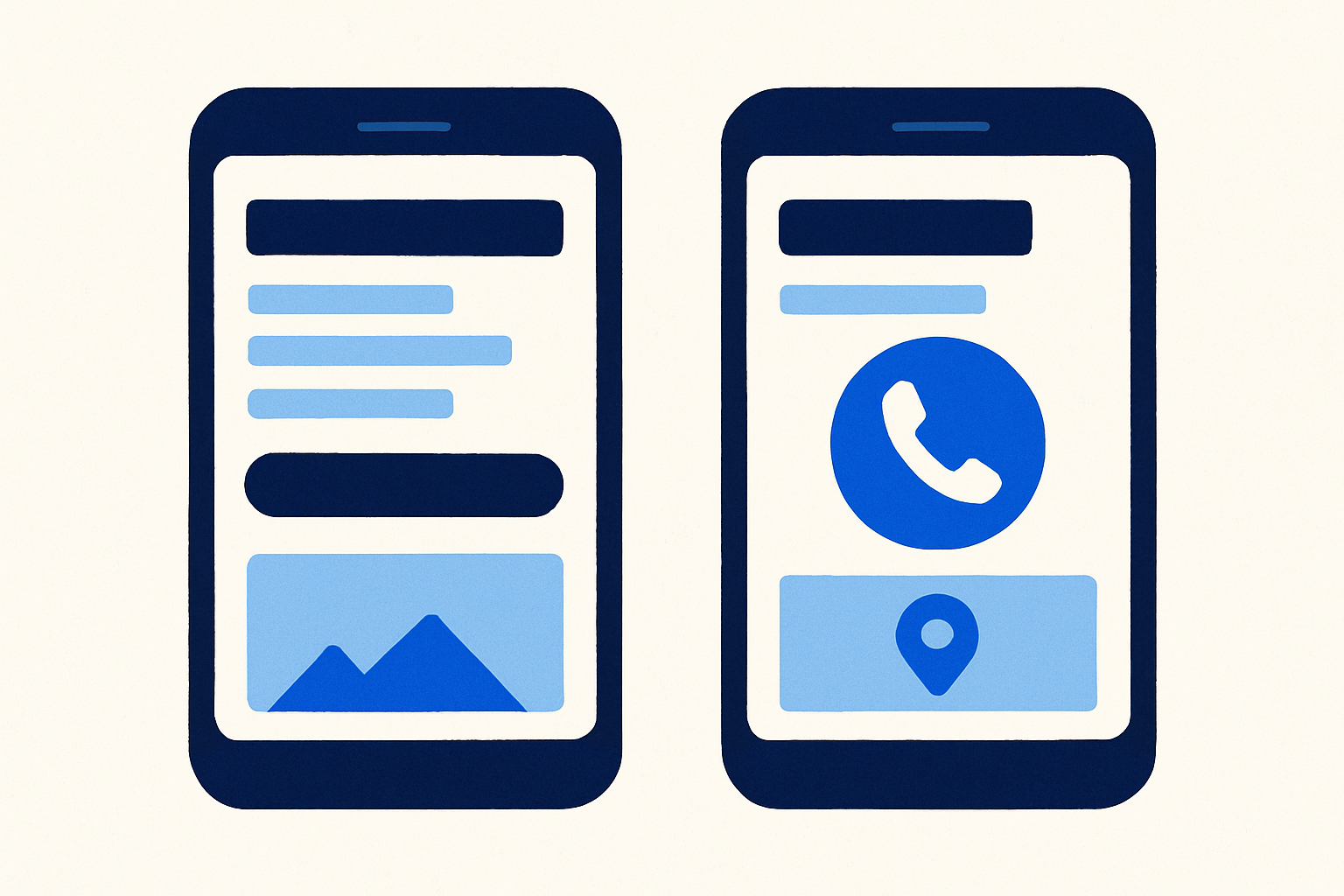
In the AI era, you can fix this in hours, not weeks. That makes “contact surfacing” the perfect micro‑offer: a sticky call bar, visible hours and service area, a map embed, and LocalBusiness schema you can drop into any stack the same day.
Local buyer reality: many local searches end in a call, visit, or booking. Remove friction and calls can jump—often within days—as Google Business Profile (GBP) Calls and Directions metrics move. After a quick win, upselling speed fixes or a redesign becomes straightforward.
Key takeaway: You don’t need more traffic. You need to turn existing sessions into calls, directions, or bookings by making contact actions unmistakable and one tap away.
Local business website no contact page: how to spot it from the SERP
You can qualify prospects at 20–50 per hour by scanning the SERP. Start with these fast tells:
- No click‑to‑call icon in the mobile snippet. Rationale: buyers expect a one‑tap dial on branded queries; without it, you’re adding friction at the moment of intent.
- No map embed visible in preview thumbnails. Rationale: a visible map signals location confidence and a path to directions; absent thumbnails hint the site buries location info.
Then run a 60‑second checklist:
- Mobile snippet cues
- Sitelinks missing “Contact,” “Appointments,” or “Directions.”
- Brand‑name query shows no visible phone snippet.
- Map Pack / Knowledge Panel
- Website link is present, but there’s no “Call” action button on mobile.
- Mismatched or missing NAP (name, address, phone) or hours in the panel.
- Image/preview cues
- No visible footer in preview thumbnails; heroes dominated by sliders/stock with no phone badge.
- No map embed thumbnail anywhere in previews.
- Schema at a glance
- Missing LocalBusiness schema can reduce the chances of enhanced SERP elements (and is a quick win).
If 2+ of these are missing, odds are the site buries contact info. Prioritize those.
By the numbers: Google/Ipsos studies reported that many local searches on smartphones lead to quick offline action: roughly half to three‑quarters visit within a day, and about a quarter to a third result in a purchase (2013–2014 studies)12. When tap‑to‑call is obvious, a meaningful share of mobile users use it3.
Quantify the leak: a simple calculator for missed calls, bookings, and revenue
Keep the math conservative and transparent on a live call. Avoid hard promises; illustrate the potential and recommend measurement.
- Mobile is often the majority of local traffic.
- When a visible tap‑to‑call exists, a meaningful share of mobile searchers use it3.
- Google/Ipsos (2014) reported high “visit within a day” rates after local searches, and (2013) research found significant call behavior from mobile searchers13. Use these as directional, older benchmarks.
Inputs you’ll need:
- Monthly organic sessions (GA4).
- Mobile share (% of sessions).
- Estimated CallIntentRate (share of visitors who would call if one‑tap existed).
- Average booking/job value.
- Close rate on answered calls.
- LostCallRate due to missing tap‑to‑call or buried number.
Mini‑formulas (paste into Google Sheets):
- MissedCalls = Sessions * MobileShare * CallIntentRate * LostCallRate
- RevenueAtRisk = MissedCalls * CloseRate * AvgBookingValue
Worked example (plumber):
- Sessions = 1,500/mo; MobileShare = 0.60; CallIntentRate = 0.30; LostCallRate = 0.40; CloseRate = 0.60; AvgBookingValue = $250.
- MissedCalls = 1500 * 0.60 * 0.30 * 0.40 = 108 (range 80–120 depending on LostCallRate).
- RevenueAtRisk = 108 * 0.60 * 250 ≈ $16,200/mo.
Use broad, conservative ranges for CallIntentRate (15–35%) and LostCallRate (30–60% if the number is hard to find; 70–90% if truly missing). Adjust by niche. These numbers are illustrative; validate post‑change with GA4 events and GBP Calls/Directions.
Prospect at scale: a fast audit workflow to find “no contact” offenders
Target niches where one job pays for the fix: plumbers, HVAC, roofers, pest control, towing, locksmiths. These are phone‑first trades; removing friction can show up as booked revenue quickly.
Filtering signals to prioritize:
- Missing “Contact” or “Appointments” sitelinks.
- No mobile “Call” action in the Map Pack.
- Slow or dated mobile themes (no sticky CTAs, heavy sliders).
- Inconsistent NAP between site and GBP.
Build a daily list (50–100 prospects in one metro):
- Capture SERP cues and homepage notes: phone visibility above the fold, tap‑to‑call, hours, map/embed, booking link, footer contact, schema/no schema.
- Take desktop and mobile above‑the‑fold screenshots to prove the issue during outreach.
- Pre‑label the outreach angle: “No phone above fold,” “No tap‑to‑call,” “No map/hours,” “Contact buried >3 clicks.”
If you’d rather not build the list by hand, WebHunt.ai can surface local businesses with weak or outdated sites using website‑quality signals and review momentum. Then use each lead’s AI opportunity brief (with desktop/mobile screenshots) to verify if contact paths are buried and to shape your pitch.
For faster qualification, open the AI opportunity brief in WebHunt.ai: it summarizes what’s broken or missing and suggests a concrete pitch angle. You’ll see the site’s contact visibility at a glance without manual clicking.
When you’re ready to call, owner contact enrichment in WebHunt.ai finds the owner’s name, direct phone, and email, with confidence scoring and line‑type checks (mobile vs. landline) so you start with the right person.
Want to scale conversations while you build? Spin up WebHunt.ai’s human cold‑calling marketplace or its AI Voice Agent SDR to pitch your “24–48h Contact Surfacing Sprint” and book meetings directly onto your calendar.
Say the quiet part out loud: outreach scripts that convert
Lead with proof you noticed something specific, then offer a 24‑hour fix.
- Hook (exact angle): “Your site doesn’t show a phone number, but I found yours — your customers won’t try that hard. Want a 24‑hour fix?”
- Phone‑first opener: “I was on your website and couldn’t find a phone number or Contact page on mobile — I tracked down your direct line. If a customer can’t find it, they bounce. Want me to show you a 24‑hour fix?”
- Voicemail: “Quick one — your mobile site doesn’t have tap‑to‑call in the header, so customers have to pinch/zoom to dial. I can add a visible call/booking bar today and you only pay if calls rise this week. I’ll text you a screenshot.”
- SMS (compliant): “Here’s your mobile header with the missing call button highlighted. I can ship a sticky call/text/directions bar today. OK to send a preview link?”
- Email subjects: “Quick fix: no call button on your mobile site.” / “Potential lost calls from your site — 24h repair?”
Pair the message with one annotated screenshot plus a one‑sentence estimate using the calculator: “You’re likely missing 80–120 calls/mo; even conservatively that’s $8k–$12k in closed work.”
Ship the fix in hours: a contact‑surfacing pattern you can drop into any stack
Above‑the‑fold essentials (mobile + desktop):
- Visible phone number with tel: link and a contrasting “Call Now” button.
- Hours and city/area served; avoid burying hours in images.
- Sticky mobile bottom bar with: Call, Text, Directions, Book.
Map and trust block:
- Embed a Google Map and show service area.
- Add review badges/snippets and core trust markers (license, years, emergency service).
- Ensure address and hours are selectable text.
Fast booking options:
- Add Calendly/YouCanBookMe or a vertical scheduler.
- For phone‑heavy trades, make forms optional to avoid friction.
Schema and metadata:
- Add LocalBusiness schema with telephone, openingHours, address, sameAs.
- Ensure NAP consistency with GBP to help trigger call actions.
Accessibility and speed:
- Large touch targets (44px min), high contrast, and keyboard focus.
- Don’t gate numbers behind JS; preload icons minimally; keep Core Web Vitals green.
AI‑native build flow:
- Use Replit, Framer AI, v0, Bolt, Cursor, Windsurf, Claude Design, or Claude Code to generate the contact bar, sticky footer, schema JSON‑LD, and an A/B toggle.
- Keep a one‑click rollback (feature flag, theme snippet toggle, or draft vs. published block in your CMS).
If you want to accelerate the preview, the one‑click website prompt in WebHunt.ai generates a ready‑to‑paste prompt (pre‑filled with the business’s details and photos) for your preferred AI builder, so you can send a live draft fast and shorten the yes‑cycle.
Deliverables checklist (handoff):
- Before/after screenshots (desktop and mobile above the fold).
- Code snippet or CMS steps for the sticky bar/map/hours block.
- Schema.org test pass (Rich Results + structured data validator).
- 7‑day KPI watchlist: GBP Calls, GBP Directions, site call clicks, and booking starts.
Prove it worked: before/after tracking that makes the upsell easy
Instrument a baseline, then report deltas at 7 and 30 days. We often see meaningful improvements when contact paths are surfaced, but results vary by niche and seasonality.
- Site events (GA4): click‑to‑call taps, email clicks, directions, booking starts/completions. Test on real mobile devices.
- GBP Insights: “Calls” and “Directions.” Screenshot baseline, day 7, day 30.
- Call tracking lite: use a website‑only forwarding number for attribution; don’t change the primary GBP number to preserve NAP consistency.
- Micro‑UX telemetry: run a 7‑day heatmap/session sample to see engagement with the sticky bar and contact block.
Share a 1‑page impact report:
- Baseline vs. 7/30‑day lifts on calls and bookings.
- Two anonymized call summaries that attribute jobs to the site.
- Recommended next step: speed hardening, GBP optimization + reviews, then a full refresh.
Productize the fix: pricing, scope, and pipeline math in the AI era
Offer: “Contact Surfacing Sprint.” Includes audit + SERP screenshots, sticky contact bar, map/hours block, schema, and 7‑day tracking setup.
Delivery promise: 24–48 hours from “yes” to live; reversible changes; no long‑term contract; optional no‑win/no‑fee tied to a call‑lift target.
AI‑era pricing (works because build time is 1–3 hours with AI tooling and near‑zero fulfillment cost with AI build tools makes $99–$499 viable):
- $99–$299 for a simple patch on an existing site.
- $299–$499 if adding a full contact page, booking integration, and schema.
Upsell ladder after the win:
- Speed hardening, GBP optimization, review capture pipeline, then a full site refresh — all with “hours, not weeks” delivery.
Pipeline math:
- 20 pitches/day x 22 days = 440 pitches/mo.
- 5% close rate x $250 average ticket ≈ $5,500/mo in high‑margin revenue.
- Increase close rate by pairing each pitch with a live preview and a 7‑day reversible test.
To keep deals moving, track leads and stages in WebHunt.ai. Save prospects, log outreach, move them across pipeline stages, and auto‑book meetings from the AI Voice Agent or human callers into your calendar — then export or Zap to your billing stack when they convert.
60‑second SERP scan checklist (print this)
- Search: “Brand + city” on a phone.
- Look for: click‑to‑call icon; if missing, flag it.
- Check sitelinks: missing “Contact/Book/Directions” = buried.
- Open Map Pack: is there a “Call” button? If not, flag.
- Glance at thumbnails: any map embed or footer contact visible? If not, flag.
- Quick NAP check: does GBP show complete phone, address, hours? If mismatched or incomplete, flag.
Work this across a metro and you’ll build a high‑probability list fast. It’s the fastest way to find “local business website no contact page” opportunities without clicking through every result.
Script snippets you can steal (copy/paste)
- Cold call opener: “Your site doesn’t show a phone number on mobile, but I found yours — want a 24‑hour fix so your customers don’t bounce?”
- Variant (required angle): “Your site doesn’t show a phone number, but I found yours — your customers won’t try that hard. Want a 24‑hour fix?”
- SMS (with consent): “You’re likely missing 80–120 calls/mo due to no tap‑to‑call. OK to send a preview link?”
- Email subject: “No call button on mobile — 24h repair?”
- Close: “We’ll A/B test and roll back if calls don’t rise in 7 days.”
By the numbers: Older Google/Ipsos research remains directionally useful: many local smartphone searches lead to same‑day visits, and a sizeable share of mobile users will call when a visible tap‑to‑call is available123. Use these as context, not promises.
Ready to put this to work?
Build a daily pipeline of high‑likelihood local leads and ship 24–48h “Contact Surfacing Sprints.” Start free with the scored local‑business database, AI opportunity briefs with screenshots, and owner contact enrichment in WebHunt.ai.
Frequently asked questions
Why is a missing Contact page such a big deal for local businesses?
Local intent often culminates in a phone call, directions, or a quick booking. If those actions are hidden or absent, visitors stall and choose a competitor. Surfacing tap‑to‑call, hours, and a map above the fold removes the friction that blocks conversions.
Is a contact form enough, or do I still need a visible phone number and hours?
A form is not a substitute for a phone number and hours. Many high‑intent visitors want to call now or confirm you’re open, then request directions. Keep the form, but make tap‑to‑call, hours, and a map unmistakable above the fold.
How do I add tap‑to‑call without breaking my theme or page builder?
Add a lightweight sticky bar or header button using your theme’s HTML block and minimal CSS, linking tel:+1XXXXXXXXXX. Avoid heavy JS, keep targets at least 44px, and verify on real devices. Maintain a quick toggle or rollback so changes are reversible if something conflicts.
How should I track improvements after a contact‑surfacing sprint?
In GA4, tag click‑to‑call links as events and validate on mobile. In GBP, monitor Calls and Directions in Insights and snapshot a baseline before changes. For attribution, use a website‑only forwarding number — don’t change the primary GBP number to preserve NAP consistency.
Does a Facebook/Instagram‑only link hurt conversions?
Yes, it usually does for phone‑first trades. Social profiles often hide the phone, hours, and map behind multiple taps. Keep social links, but ensure your site has a visible tap‑to‑call, hours, and an embedded map; that’s the fastest path to calls and directions.
What if my client prefers online booking — should we still prioritize the phone?
Yes, but make both first‑class. Use a sticky bar with Call, Text, Directions, and Book. On the Booking page, keep the phone visible for those who change their mind. In urgent niches, calls frequently outperform forms.
How do I pitch this if the issue is ‘local business website no contact page’ but the owner thinks traffic is the problem?
Show SERP screenshots with no tap‑to‑call and no map embed thumbnails, then run the 2‑minute missed‑calls calculator. Offer a 24–48h reversible fix and 7‑day measurement plan. It reframes the problem as conversion friction, not traffic volume.
Sources
About the author
Cameron Kirdzik — Founder @WebHunt.ai
Cameron is the founder of WebHunt.ai, where he helps web designers, agencies, and freelancers find local businesses that need a website. He writes practical, field-tested guides on prospecting and closing local clients.